

You have probably already sat through the Odoo demo. The consultant pulled up a Bill of Materials, walked you through a manufacturing order, showed you work orders flowing across the screen. It looked clean. Logical. Maybe even impressive. And then somewhere in the Q&A you asked something specific about your floor, and the answer got vague.
That gap is the real subject of this post. Not whether Odoo can handle manufacturing, but what it actually takes to make it work for a specific production environment. The question is whether the configuration reflects how your plant actually runs, what your operators actually do, and how your engineering team manages changes. That is where most implementations either succeed or fall apart quietly.
This is a module-by-module breakdown of Odoo ERP for manufacturing, written at a configuration level, not a sales pitch level. And at the end, there is a step-by-step walkthrough of what a real discrete manufacturer setup looks like from start to go-live.
The Odoo MRP Module Is a Planning Engine, Not Just a Production Calendar
The first thing most people get wrong about the Odoo MRP module is treating it like a scheduling board. You enter a manufacturing order, set a due date, and the system tells you when to start. That part is real. But it is also the least interesting thing the module does.
What MRP actually does is model the relationship between demand, materials, and capacity across your entire operation. When a confirmed sales order or a reorder rule fires a manufacturing order, Odoo traces every component, sub-assembly, and raw material required to fulfil it, checks available stock, factors in lead times, and flags shortages before they stop your line.
Here is what the Odoo MRP module governs in a properly configured environment:
- Manufacturing orders (MOs): The core production document linking your BoM to the work orders that execute it, tracking actual consumption against plan.
- Multi-level production scheduling: For complex assemblies, MRP sequences parent and child manufacturing orders so sub-assemblies are ready when the parent order needs them.
- Automated replenishment: MRP triggers draft purchase orders or sub-manufacturing orders automatically when stock falls below defined thresholds.
- Scrap and by-product accounting: Define expected material losses, record scrapped components at the workcenter level, and track by-products with secondary value.
The Odoo MRP module is not a simplified tool for small businesses. Configured correctly, it runs as a genuine production planning engine. Companies often underinvest in MRP configuration and then blame the software when planning breaks down.
Your Bill of Materials Architecture Determines Whether Everything Else Works
If there is one configuration decision that creates more downstream pain than any other in Odoo ERP for manufacturing, it is the Bill of Materials. A poorly structured BoM does not just cause production errors. It generates wrong costs, bad replenishment signals, and inaccurate stock valuations across every connected module simultaneously.
The Odoo Bill of Materials is a live document. It drives manufacturing order generation, component reservation, work order creation, and cost rollup at the same time. Getting it right is not optional.
Odoo supports several BoM types, and choosing correctly matters:
- Standard BoM: Defines components for a finished product. The default type for most discrete manufacturers.
- Kit BoM: Treats the product as a bundle sold assembled but not manufactured into a new item.
- Sub-assembly BoM: Defines a component that itself requires manufacturing before being consumed in a parent order.
- BoM with variants: Serves multiple product configurations through conditional component logic, so one BoM covers every SKU variant instead of maintaining separate BoMs per product.
- Versioned BoMs via Odoo PLM: When connected to PLM, BoMs carry a tracked version history. Every engineering change is approved before it reaches the shop floor.
Odoo calculates standard cost by rolling component costs upward through the BoM hierarchy. If the structure is wrong, the cost is wrong. Build the BoM right before you load a single production order.
Are you evaluating Odoo for manufacturing and unsure whether the BoM setup will handle your product complexity?
Talk to our Odoo experts and see what a setup built around your workflows actually looks like.
Odoo Work Orders and Routing: Where Most Implementations Lose the Plot
Of all the setup decisions in Odoo ERP for manufacturing, routing is the one that causes the most downstream pain when done badly. Odoo work orders and manufacturing routing define exactly how a product moves through your floor: which workcenters it visits, in what sequence, how long each operation takes, and how the system calculates capacity.
Odoo work orders are generated from routing operations. Each step maps to a workcenter, and each workcenter carries shift availability and efficiency parameters the scheduler uses to produce realistic lead times, not theoretical ones.
Here is how the key configuration decisions play out:
- Time modes per operation: Fixed time applies the same duration regardless of quantity. Per-unit time scales with order size. This distinction alone drives significant differences in scheduling accuracy.
- Workcenter capacity parameters: Shifts, availability percentages, and efficiency factors feed directly into the scheduler. Without these, planned dates are fiction.
- Parallel vs. sequential operations: Manufacturers with concurrent production steps need this set correctly or the entire scheduling output is misleading.
- Odoo manufacturing routing flexibility: A single product can carry multiple routings for standard production, rework, or overflow scenarios. This flexibility in Odoo manufacturing routing is what separates a system that mirrors your floor from one that forces your floor to adapt to it.
Deloitte’s analysis of 400 companies’ ERP histories found that 69% of business leaders hold negative or neutral views on their ERP investment. The gap between what ERP promises and what it delivers usually traces back to configuration decisions made in the first ninety days. Routing is one of those decisions.
Odoo Shop Floor Management: The Gap Between the System and the Operator
Here is an observation that does not get said enough. The back-office environment gets configured carefully and then breaks down the moment it touches the shop floor. Not because the software fails. Because operators were not considered in the configuration. They do not have time to navigate multi-step menus between machine cycles.
Odoo shop floor management addresses this through the Shop Floor module, which gives operators a purpose-built interface showing only what is relevant to their workcenter.
What the shop floor interface delivers in practice:
- Workcenter-specific views: Each operator sees only the work orders assigned to their station, in priority order, with no irrelevant noise from the rest of the floor.
- Tablet-optimized layout: Designed for mounted shop floor tablets. Operators log time, confirm operations, and record scrap without a keyboard.
- Quality checks embedded in workflow: Quality steps defined in the routing appear as mandatory checkpoints. Operators cannot advance a work order past a quality gate without completing the check.
- Supervisor live view: Supervisors see real-time status across all workcenters: running, paused, blocked, or complete.
Harvard Business Review research found that large IT projects run 27% over budget on average, with one in six exceeding planned costs by more than 200%. Shop floor adoption failure is one of the most consistent drivers. When operators reject the system, production data stops flowing and the ROI case unravels.
The mistake that keeps repeating: manufacturers configure the Odoo back-office correctly and then point operators at the standard manufacturing interface instead of the Shop Floor module. Low adoption follows every time.
Odoo PLM: The Module Most Manufacturers Activate Too Late
PLM tends to get treated as optional until a problem makes it obviously not. A product changes. Someone updates the BoM directly in the live production environment without an approval process. Manufacturing produces an outdated specification. A quality audit follows. Then everyone agrees version control would have been useful.
Odoo PLM creates a controlled path between engineering and the shop floor so design changes are reviewed and documented before they affect production.
The core capabilities of Odoo PLM that matter:
- Engineering Change Orders (ECOs): Every proposed change to a BoM or routing passes through a formal approval workflow before going live. No direct edits without a trail.
- BoM versioning: Each approved change creates a new version. Previous versions are preserved for warranty, recall, and quality audit scenarios.
- Version-aware manufacturing orders: New BoM versions apply to future manufacturing orders automatically while in-progress orders continue on the previous version, preventing mid-run disruption.
McKinsey research shows that 87% of companies already face technology skills gaps or expect to hit them soon. For manufacturers, that gap often sits at the intersection of engineering and ERP. PLM is where those two worlds need to meet cleanly.
Are you planning an Odoo rollout and uncertain how to structure your PLM and BoM workflows before go-live?
Talk to our experts before you finalize your setup approach.
How the End-to-End Manufacturing Workflow Actually Flows in Odoo
Understanding each module in isolation is one thing. Seeing how they connect as a live process is what makes the system click. Here is how a typical production cycle flows in Odoo from the moment demand is confirmed to the moment finished goods hit the warehouse.
A customer places an order. The confirmed sales order triggers a manufacturing order automatically, either through a make-to-order rule on the product or through the MRP scheduler during its next run. The MO pulls the correct BoM version, reserves or requests the required components, and generates a set of work orders based on the routing attached to that BoM.
Those work orders land on the shop floor in sequence:
- Workcenter 1 gets the first operation: The operator sees it in the Shop Floor module, logs start time, completes the task, and marks it done. The next operation unlocks automatically.
- Quality checkpoints fire mid-workflow: If a quality check is attached to a routing step, the operator cannot advance until it is completed and recorded. Pass or fail, the result is logged against the manufacturing order.
- Material consumption is recorded at the point of use: Operators confirm components consumed at each step. If actual consumption differs from planned, the variance is captured in real time, not reconciled at month end.
- The final work order closes the manufacturing order: Once all operations are completed and quality checks passed, the MO moves to done, finished goods are posted to inventory, and the linked sales order can proceed to delivery.
When an engineering change is needed, it does not jump straight into this flow. An ECO is raised in Odoo PLM, reviewed and approved through the defined stages, and only then does the updated BoM version publish. Future manufacturing orders pick up the new version. Orders already in progress run to completion on the previous one.
The whole cycle runs inside a single system. No spreadsheet handoffs between departments. No manual status updates to a separate tracker. That is what Odoo ERP for manufacturing is actually selling you: one connected process, not a collection of tools.
What a Real Odoo Discrete Manufacturing Setup Actually Looks Like?
Here is a concrete scenario. A mid-size manufacturer produces custom metal enclosures: made to order, multiple variants, three suppliers, two shifts, quality inspection before shipment. This is how you build the Odoo ERP for the manufacturing environment for that business.
Step 1: Build the BoM structure Use a BoM with variants and optional components. Sheet metal is a required component. Hardware items are conditional on product attributes like size and finish. One master BoM covers all variants. Sub-assemblies like a welded frame get their own sub-assembly BoMs feeding the parent.
Step 2: Configure workcenters and routing Three workcenters: cutting and bending, welding, final assembly. Build a three-step sequential routing with per-unit time for each operation based on measured cycle times. Attach a quality checkpoint to the final assembly step. Apply realistic efficiency factors per workcenter, not theoretical 100%.
Step 3: Set up replenishment rules Define reorder points per component using actual supplier lead times. Standard hardware uses min/max rules. Expensive or low-volume components use made-to-order procurement. Replenishment connects to confirmed sales orders so high-priority demand can trigger priority purchasing.
Step 4: Activate the Shop Floor module Mount a tablet at each workcenter. Configure station-specific views, simplified operator login, and mandatory quality check steps before work orders can advance. Give supervisors the live workcenter status view.
Step 5: Set up PLM for change control Two ECO approval stages: engineering manager, then quality manager. No BoM or routing change reaches production without both sign-offs. All BoMs linked to PLM from day one so versioning applies immediately.
This is ERP for discrete manufacturing built in sequence. The companies that implement Odoo successfully almost always mapped their production logic before touching the software.
The Right Odoo Partner Makes the Difference
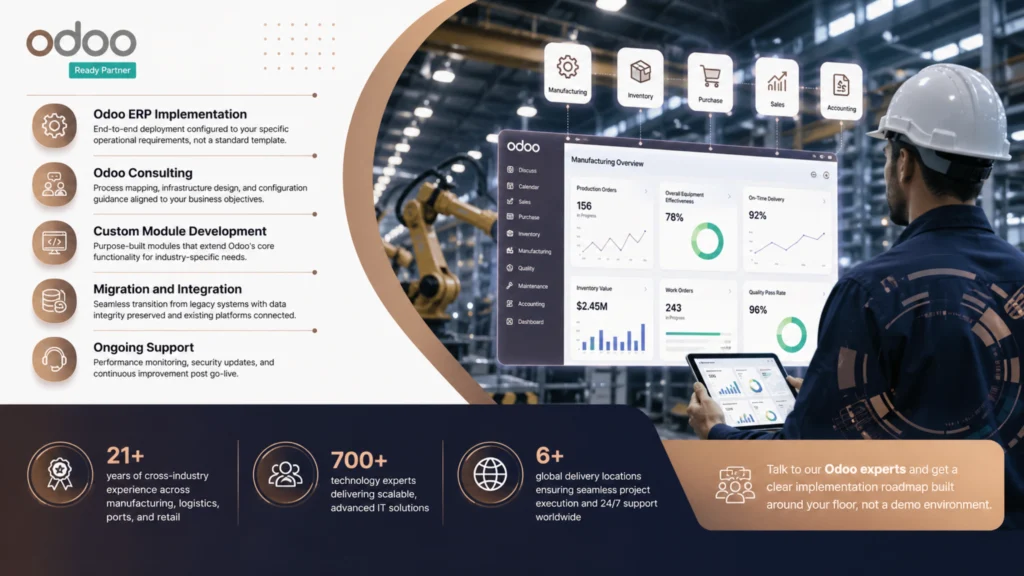
Odoo ERP for manufacturing delivers real results when the implementation is built around your production logic, not a generic template. The modules are capable. The workflows are there. What separates a system that compounds in value from one that stalls is the team that configures it.
Intech is a certified Odoo partner with cross-industry experience in manufacturing, logistics, ports, retail, and beyond. Here is what working with Intech looks like:
- Odoo ERP Implementation: End-to-end deployment configured to your specific operational requirements, not a standard template.
- Odoo Consulting: Process mapping, infrastructure design, and configuration guidance aligned to your business objectives.
- Custom Module Development: Purpose-built modules that extend Odoo’s core functionality for industry-specific needs.
- Migration and Integration: Seamless transition from legacy systems with data integrity preserved and existing platforms connected.
- Ongoing Support: Performance monitoring, security updates, and continuous improvement post go-live.
And the numbers that back it up:
- 21+ years of cross-industry experience across manufacturing, logistics, ports, and retail
- 700+ technology experts delivering scalable, advanced IT solutions
- 6+ global delivery locations ensuring seamless project execution and 24/7 support worldwide
Talk to our Odoo experts and get a clear implementation roadmap built around your floor, not a demo environment.
FAQs
What does the Odoo MRP module do for manufacturing companies?
The Odoo MRP module generates manufacturing orders from demand signals, traces all required components through your Bill of Materials, checks stock, and flags shortages before they stop production. It also handles automated replenishment, multi-level production sequencing, and scrap tracking.
How should I structure my Odoo Bill of Materials for products with many variants?
Use a single BoM with variant logic and conditional components rather than a separate BoM per SKU. This keeps your BoM library manageable, ensures consistent cost rollup across all configurations, and makes PLM-driven engineering changes far easier to apply.
What is the difference between a manufacturing order and a work order in Odoo?
A manufacturing order authorizes production of a finished product. Odoo work orders live inside the MO and represent individual operations at specific workcenters, generated from the routing. One MO with a three-step routing produces three work orders, each with its own time tracking and quality checks.
Is Odoo shop floor management suitable for multi-shift environments?
Yes. The Shop Floor module supports workcenter-specific views so late-shift operators see only what is relevant to their station. Shift availability feeds directly into scheduling, and quality checkpoints are embedded in the operator workflow so data stays accurate across all shifts.
How does Odoo PLM prevent engineering changes from disrupting production?
Changes go through an ECO workflow with defined approval stages before any BoM version update goes live. Manufacturing orders in progress continue on the previous version while new orders pick up the updated BoM automatically, eliminating mid-run specification confusion.
Can Odoo handle ERP for discrete manufacturing with configure-to-order production?
Yes, through product variants, conditional BoM components, and optional routing steps. For fully unique orders, Odoo supports manufacturing orders linked directly to sales order lines, keeping production and order tracking connected without requiring custom development.
How long does a typical Odoo manufacturing implementation take?
A focused rollout covering MRP, BoMs, work orders, and shop floor management for a single facility typically runs three to six months for a mid-size manufacturer. Adding PLM or multi-location inventory extends that timeline. The biggest variable is the quality of your BoM and routing data going in.
