

Businesses are moving to take their operations online. Now, if your business is also moving online, you’d consider whether cloud-based software is an ideal choice or on-premise. Security, accessibility, and affordability are key features to consider.
Cloud-based software can be accessed via the web and relies on the provider’s servers. On-premise software is usually installed within the company’s self-hosted infrastructure. You should consider cloud-based vs on-premise software to determine which best fits your needs.
On-Premise Software
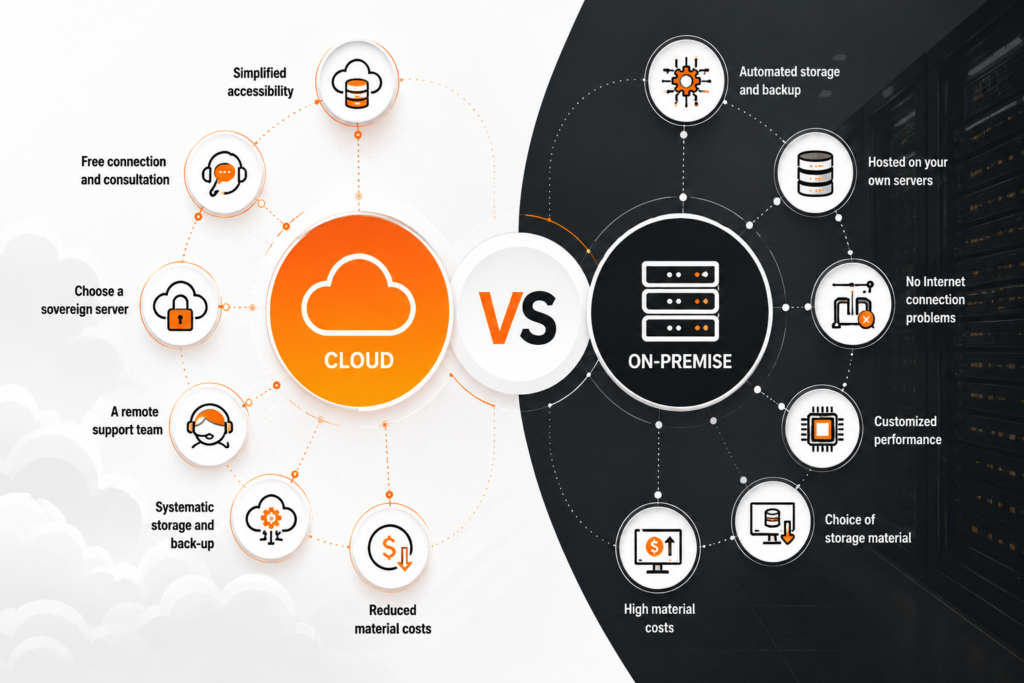
On-premises software security is usually considered high because it’s installed in the company’s infrastructure. All resources- software, hardware, and IT assets and infrastructure are within the company’s physical office.
As a business, you have complete control over the infrastructure without involving any third parties. This helps to maintain complete confidentiality with tight Data mechanisms.
Cloud Software
Cloud computing requires you to depend on a third-party provider to host all the data. The third party will be responsible for infrastructure maintenance, for which your business pays a subscription fee.
The used server hardware components are within the provider’s data centre. Therefore, they will be responsible for maintenance and data backups. This drives flexibility and scalability for businesses.
SaaS vs On-Premise Software Comparison
When you’re considering whether to get SaaS or on-premise software, it is important to be aware of the small things. Right from implementation to infrastructure management, businesses must consider everything.
Below are some of the key details for the SaaS vs on-premise software comparison:
Cost
- On-premise Software: All costs must be covered, from setup to implementation and maintenance. If you wish to upgrade in the future, you’ll have to pay for it. Therefore, the cost of installation and maintenance is high.
- SaaS: For SaaS, you will pay a third party to use their IT infrastructure. This is a subscription-based service, which is usually cheaper for businesses to get started with.
Customization
- On-premises Software: You have complete flexibility to customize, since you’re in charge of the software and infrastructure. You can integrate the internal systems and also customise the features. However, you’ll have to pay extra for it.
- SaaS: There are limitations on customisation due to third-party involvement. You’ll need to change the subscription package you’re currently using. However, there will be complexities that you’ll have to be mindful of.
Backup
- On-premises Software: You can back up the details as per your requirements. Businesses can set up the backup schedules and policies. This offers flexibility to customize the backup techniques and also select data strategies. For added safety, it is best to store backups in multiple locations.
- SaaS: The system includes automated disaster recovery and backup. It is usually a part of the package to ensure that the data is safe. The cloud software advantages logistics include disaster recovery and mitigation plans.
Cloud-based vs On-Premise Software Differences
Below are the key cloud-based vs on-premise software differences to be aware of:
Deployment Location
- On-premises: Businesses must use their space, power, and resources within their company domain. All processes associated with that must be maintained within the company.
- Cloud: Cloud ERP for supply chain and other businesses can be located and accessed remotely as long as you’re connected to the internet. The cloud service provider will have to handle maintenance and hosting. There’s no need to keep it in the office space. It offers flexibility and easy access to all resources.
Security
- On-premise: Sectors like government and banking prefer on-premise software security. This is mostly because these sectors usually need high security. Although there are limitations and it is slightly expensive, the high level of data privacy it offers is completely worth it.
- Cloud: Most data centers now provide great security measures. The cloud security for freight companies has increased significantly. Therefore, businesses that can’t afford the setup cost for on-premises security solutions can opt for cloud solutions.
Compliance
- On-premise: Compliance is a key sector where there are limitations for cloud vs on-premise ERP. Businesses of all sizes must comply with the regulations and also maintain data oversight. This is efficient for processing and data storage, usually offering better control and management.
- Cloud: Cloud migration for logistics companies typically ensures ongoing compliance with regulatory requirements. The third-party server can, however, cause issues; it is crucial to ensure everything is in order. Many government agencies refrain from opting for cloud solutions despite data encryption.
Cloud vs. On-Premise Cost Comparison
Cloud solutions are more affordable than on-premises solutions because of their flexibility and lower maintenance costs. Below is a detailed cloud vs on-premise cost comparison:
| Cost Component | On-premise | Cloud |
|---|---|---|
| Upfront | A high upfront cost has to be given for hardware and infrastructure setup. | Usually lesser because the third-party provider takes care of the infrastructure and hardware setup. |
| Maintenance | Expert staff is required for continuous maintenance. Space and power are key components. | There’s no hardware involved. The software service provider will help with maintaining the software. Usually, the maintenance cost is a part of the package. |
| Scalability | When the business grows, additional hardware and software setup costs will be required. Therefore, to meet the business scalability requirements, further costs must be incurred. | Cloud software scalability benefits include quick and easy adaptation. As businesses scale, the high costs will be covered. |
| Upgrades | For on-premise software, upgrades can be expensive. This is because businesses will have to spend extra money for hardware and reconfiguration of software. | Businesses that have subscription packages know that upgrade costs are included. Therefore, all upgrades will be offered by the provider in case of the latest requirements. |
| Data Loss | In case of any system malfunction, the data will be lost forever. Cyberattacks increase security concerns. | The provider integrates strong measures to reduce the risk of data loss. This protects against the risk of potential data loss. |
Cloud-based vs On-premise Software: What is Efficient for Businesses?
With cloud vs on-premise ERP being available, one of the most commonly asked questions is which one is most efficient. The right choice depends entirely on your business requirements. At the same time, the budget your business has for deployment plays a key role in determining the choice.
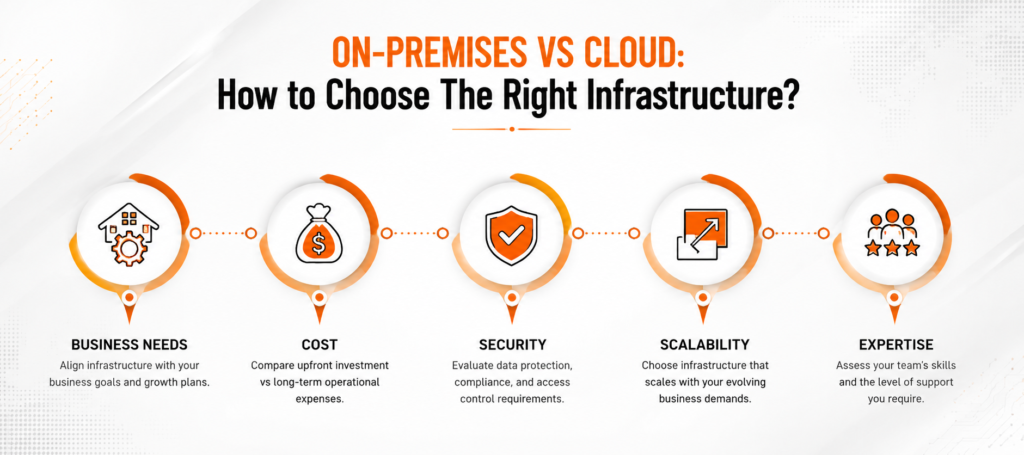
It is advisable to compare the advantages of cloud migration for logistics companies and other businesses with those of on-premise ones. Below are some key factors that can help to choose between cloud-based vs on-premise software:
- Budget: Check how much your business can spend upfront and how much it can afford in the long term.
- Compliance: Does the industry have specific compliance requirements? In that case, does the data meet the regulatory standards?
- Growth: How do you plan the scalability of your business? Would your business prefer rapid scalability or stability? It is crucial to determine the scalability to understand how much you can afford.
- IT Resources: Are there enough IT resources within the company to manage the upgrades and maintain the system? If not, would your business need an automated approach? For an automated approach, it is best to choose cloud software.
Hybrid Cloud Software Development
Businesses struggling to choose between the two can opt for hybrid cloud software. Hybrid cloud software deployment within the business can integrate the benefits of both cloud and on-premise software.
A hybrid cloud solution typically incorporates features from different IT models. Therefore, you can easily benefit from on-premise to cloud migration without taking robust measures.
The hybrid cloud infrastructure usually leverages the availability of public cloud platforms from a third-party provider, private cloud infrastructure, or on-premises software. It also accounts for WAN connectivity in both environments.
Conclusion
Connectivity is one of the key factors to consider when choosing between cloud-based and on-premise software. Today’s supply chain businesses need more than just orchestration- they want to align data, partners, and processes. These are crucial to ensure seamless execution regarding inventory, orders, and shipments.
Intech Group can help your business with end-to-end supply chain execution, leveraging hybrid cloud software to enable real-time monitoring. The experts can help with exception management and ensure strong alignment with businesses while delivering consistent results.
FAQs
Is on-premise software outdated?
No, on-premises software isn’t outdated, but the role has changed slightly. Businesses choose on-premise to cloud migration, but many opt for on-premises software for key operations to safeguard sensitive data.
What is the key difference between on-premise and cloud software?
The key cloud-based vs on-premise software includes accessibility to the internet. With on-premises solutions, businesses have full control over their data, whereas with cloud software, they depend on third parties.
Is on-premise software cheaper than cloud storage?
No, cloud storage is usually cheaper than on-premise software. For on-premises software security, you will need to set up the infrastructure, which is expensive. However, for cloud storage, you can avoid buying the hardware in-house.
