

A lot of small businesses can now use enterprise resource planning (ERP) systems too. SMBs across the US are quickly adopting ERP solutions in 2026 to make their operations run more smoothly, cut costs, and get a better picture of how their business is doing.
On the other hand, traditional ERP systems were often expensive and difficult to understand and expand. This made them harder for businesses that were growing to use. This is where new tools that can be used in different ways, such as Odoo ERP software, turn things around.
Odoo has become a strong contender for the best ERP for small and medium-sized businesses (SMBs) that want to grow without having to pay a lot of money up front thanks to its modular structure, updates to its features in 2025 and 2026, and flexible pricing plans.
US businesses will learn everything they need to know about Odoo ERP in this guide, including how much it costs, how it can be used, and if it’s the right choice for your company in 2026.
TL;DR
- Odoo ERP is an all-in-one, modular business management system that replaces multiple tools with a single integrated platform.
- Its flexibility and open-source nature allow businesses to customize workflows and scale as they grow.
- Compared to traditional ERPs, Odoo is far more cost-effective, with flexible pricing and even a free plan for basic use.
- CRM, accounting, inventory, HR, and eCommerce are all supported in one ecosystem.
- Odoo works across industries like retail, manufacturing, healthcare, logistics, and SaaS, making it highly versatile.
What is Odoo ERP Software?
Odoo is an all-in-one ERP (Enterprise Resource Planning) platform that helps companies run and automate their main tasks from a single location. With the Odoo ERP software, you do not have to use tools for inventory management, customer service, HR, accounting, or sales. Instead, everything is rolled into one ecosystem.
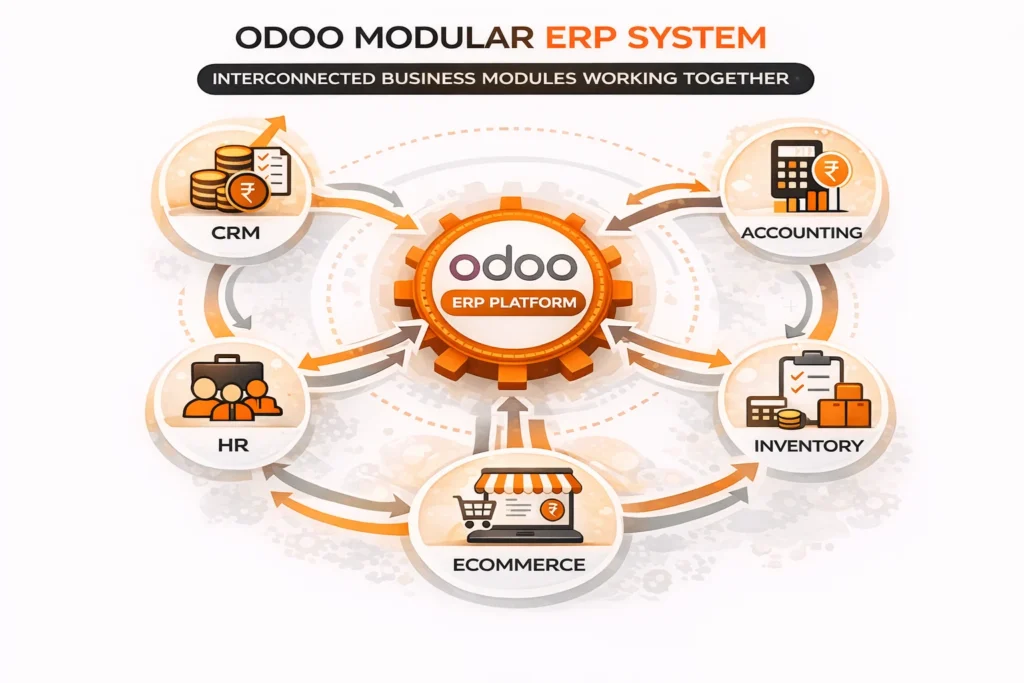
Odoo’s main goal is to make business processes easier. It links various departments so that data moves easily between them. This cuts down on manual work, avoids mistakes, and improves decisions by providing real-time information.
One thing that makes Odoo stand out is that it is open-source ERP software. This allows businesses to customize the system to their specific needs rather than adhering to predefined workflows. As a business grows, it can change system features and add its own modules.
Why is Odoo Popular in 2026 ?
Odoo is one of the most popular ERP solutions among US businesses in 2026. This is because more and more businesses are going digital first and need systems that are cheap. It is a strong contender for the best ERP for SMB, as it is scalable, flexible and at a lower price.
Here are the key reasons behind its growing popularity:
1. All-in-One Business Management Solution
Odoo ERP software has all of its applications in one platform, while most other systems need a number of third-party tools to work. Everything is well-linked, from HR and inventory to CRM and accounting. This helps get rid of data silos and makes operations run easily.
2. Modular and Scalable Approach
Firms can choose which apps to use, as Odoo is modular. It is ideal for growing businesses that do not want to spend too much at first. This flexibility is because they start with some core modules and add on to them with time.
3. Cost-Effective ERP Compared to Legacy Systems
Traditional ERP systems such as Oracle or SAP have giant costs for setting up and licensing. Odoo, on the other hand, has flexible pricing plans. This includes a free plan, which makes it easy for startups and small businesses to use.
4. Open-Source Flexibility
The open-source nature of Odoo allows for numerous modifications. Businesses can change workflows, create their own modules, and connect them to third-party tools, which isn’t always possible with closed ERP systems.
5. Cloud and On-Premise Deployment Options
Odoo can be set up in the cloud or on-premise. This flexibility is because US businesses can pick a deployment model that meets their requirements for compliance, security, and operations.
Key Odoo Features (Updated for 2025-2026)
Odoo’s popularity stems from the constant addition and modification of its features. The latest features of Odoo focus on ease of use, automation, and deeper business insights. This makes it a powerful tool for US businesses today.
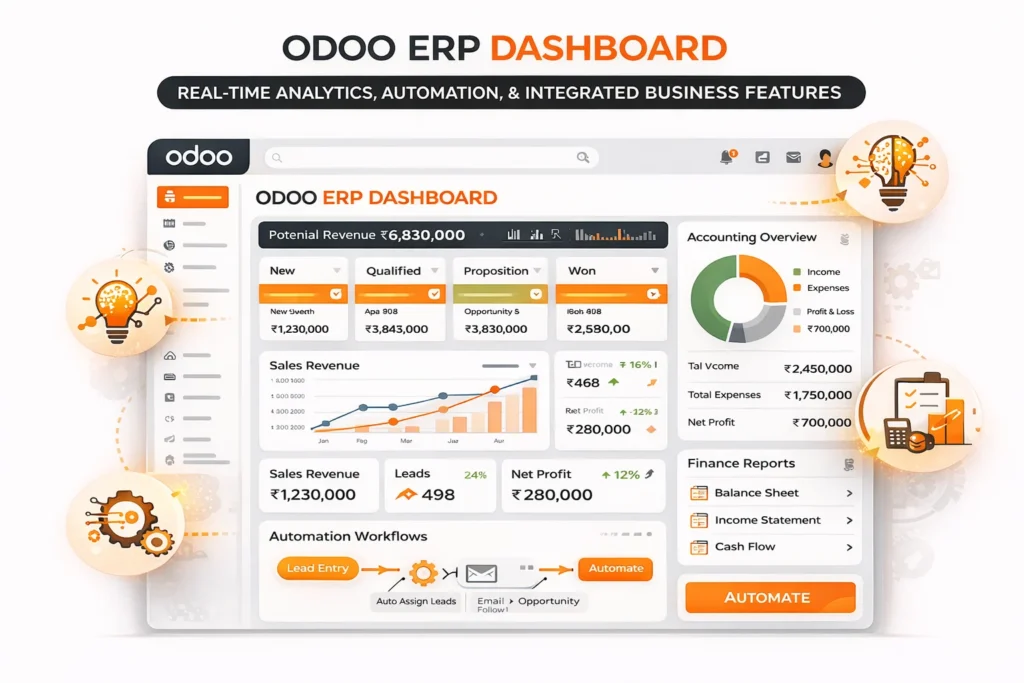
Here is a list of the main things that make Odoo ERP software unique:
1. Unified Dashboard for Complete Visibility
Odoo gives businesses a central dashboard where they can see real-time metrics for sales, operations, finances, and performance. This view makes it easy for decision-makers to spot trends, keep an eye on KPIs, and make smart business choices without switching between various tools.
2. Automation & AI-Driven Workflows
Automation is a good feature. It allows businesses to automate tasks that they do over and over again, like building up, following up, updating inventory and nurturing leads. Companies can easily predict demands, cut down mistakes made manually, and improve workflows with the help of AI driven insights. This helps save both time and money on operational expenses.
3. CRM & Sales Management
Businesses can use the CRM system of Odoo to keep track of opportunities and leads and automate the sales pipeline. It is possible for sales teams to close deals faster and keep relationships better with customers. All of this progress is possible due to tools like lead scoring, email automation and pipeline visualization.
4. Accounting & Invoicing (US-Compliant)
The accounting module allows you to send invoices, keep track of expenses, reconcile your bank accounts, and create financial reports. It is sort of similar to how money is handled in the US. This feature will make it easier for businesses in the region to handle taxes and follow rules.
5. Inventory & Supply Chain Management
Odoo lets you manage your warehouse, keep track of your inventory in real time, and automatically update your stock. Businesses can track goods movement in various warehouses and improve supply chain operations as well. This helps to avoid running out of stock or having too much of it.
Complete Odoo Modules List
The best feature is that Odoo ERP software is built in modules. Odoo does not force businesses to use one system. Instead, it allows you to pick from a huge list of modules and add features that you need.
Each module is made to work with all the others without any problems, so data can move easily between departments. This makes Odoo useful, adaptable, and easy to expand as the business grows.
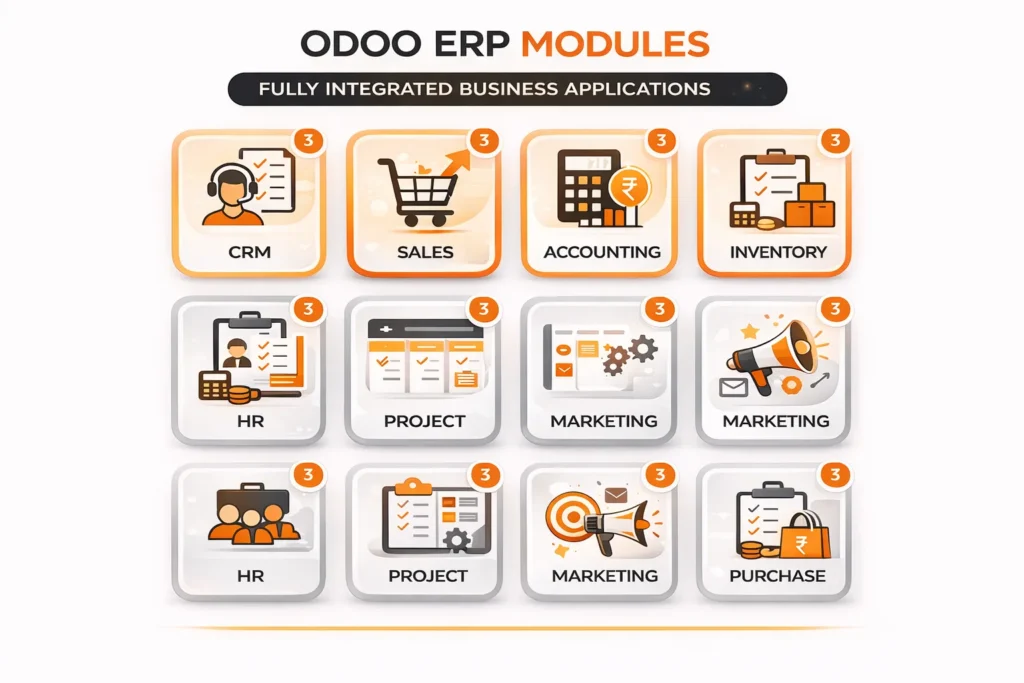
Here is a more in-depth look at the core and advanced modules that make Odoo work:
CRM
The CRM module helps companies keep track of leads, keep an eye on interactions with customers, and make the whole sales process more efficient. Sales team can keep an eye on the most essential opportunities and close deals easily with tools such as lead scoring, automated follow-ups and pipeline visualization.
Sales
Odoo’s Sales module makes managing orders easier. From a single interface, businesses can make quotes, turn them into sales orders, set prices, and check on the status of orders. It also works directly with CRM and accounting to make things run smoothly.
Accounting
The accounting module manages billing, tracks expenses and bank account balances, and generates financial reports. It provides businesses real-time information about finances. This helps them keep accurate records and obey all accounting rules.
Inventory
Odoo’s Inventory module lets you keep track of stock in multiple warehouses in real time. Automatic stock updates, batch tracking, and inventory forecasting are all features that help businesses avoid running out of stock or having too much of it.
HR (Human Resources)
The HR module in Odoo centralizes information about employees and automates HR tasks like hiring, managing attendance, payroll, and leave. It helps businesses keep accurate records on their employees and make their workers more productive.
Project Management
This module works excellently for businesses that provide services. Teams can plan, assign, and track tasks; they can also set deadlines and see real-time progress on projects. Adding timesheets also makes it easier to keep track of billable hours.
The long list of Odoo modules offers the flexibility to expand as needed. When a business first starts out, it can use basic modules like CRM, Sales, and Accounting. As it grows, it can add more advanced modules, like Manufacturing, HR, or Marketing Automation.
Odoo ERP software offers various usage options. Odoo, built on numerous modules, can be adapted to fit various business models and industries such as retail, manufacturing, healthcare, logistics, SaaS, and supply chain.
Benefits of Odoo for US Businesses
Let us take a quick look at the key benefits that make Odoo a viable choice in 2026:
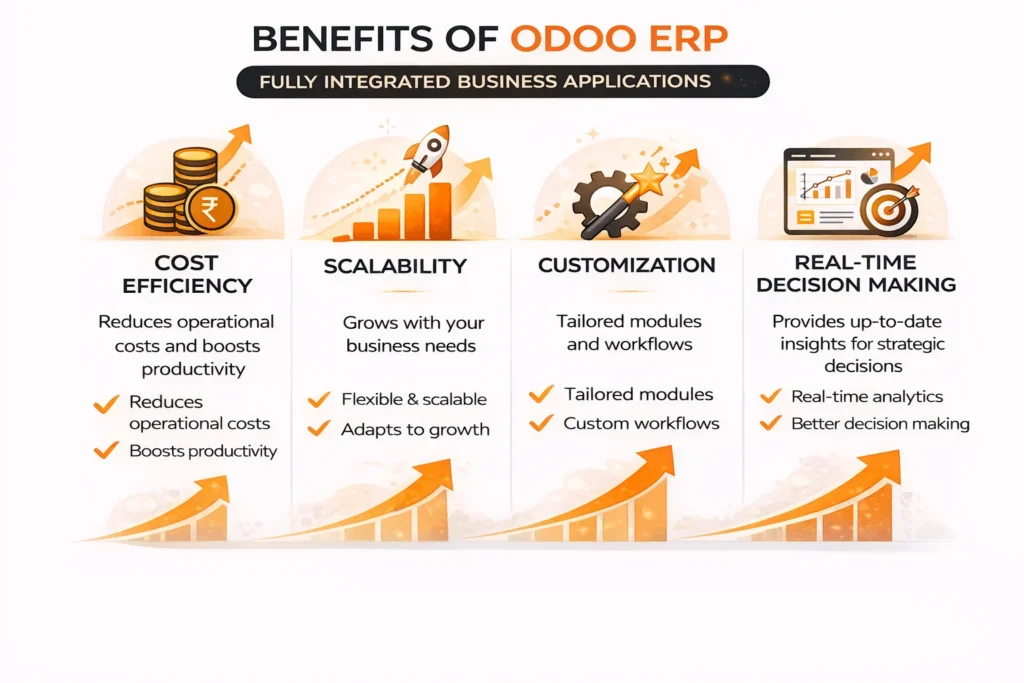
1. Cost Efficiency Compared to Traditional ERP
The best thing about Odoo is that it is costly. Medium as well as small-sized businesses may not be able to afford traditional ERP systems, as they have licensing fees. It is difficult to set up and requires proper maintenance.
Odoo, on the other hand, has flexible pricing plans, including a free plan for basic use, so businesses can start using it without having to pay a lot of money up front.
2. All-in-One Integrated System
Odoo makes running a business easier by combining many functions into a single platform. Businesses can handle all of their tasks with just one system, rather than using different ones for CRM, accounting, inventory, HR, and operations. This level of integration makes sure that data moves easily between departments.
3. High Customization with Open-Source Flexibility
Odoo is an open-source ERP software that allows you to make several changes. Instead of relying on pre-existing workflows, businesses can customize the system to meet their specific needs.
Odoo provides businesses the freedom to make a system that works perfectly with processes. It does not matter whether it means changing existing modules, creating apps or connecting third-party tools.
4. Scalability for Growing Businesses
Odoo is made so that it can grow with your business. Its modular architecture lets businesses start with the most important apps and add more features as their needs change and grow.
5. User-Friendly Interface
Adoption of ERP depends on how easy it is to use, and Odoo does well in this area. The platform has a clear, user-friendly interface, which makes it simpler for employees to find a way around and use regularly.
The learning curve is usually shorter; onboarding happens faster; and overall adoption across teams is much better because of the design.
6. Faster Implementation
The deployment process of Odoo is faster in comparison to traditional ERP systems that can take months or even years to set up. Businesses can initially roll out core features and gradually add to them over time, thanks to its modular design.
7. Cloud Flexibility & Accessibility
Odoo provides you with several deployment options like cloud-based and on-premise solutions. Businesses that use cloud deployment can access the systems from anywhere. This is especially helpful for teams that work from home or for businesses that have more than one location.
8. Better Decision-Making with Real-Time Data
Reports and dashboards in Odoo provide businesses with real-time information that helps them make decisions. There is no need to wait because managers can track financial data and look at all operational trends.
9. Compliance & Localization for US Businesses
Compliance is an important part of doing business for US-based companies. Odoo supports tax calculations and accounting standards, as well as reporting requirements that are specific to the US. This helps businesses stay in line with government rules.
Is Odoo the Best ERP for SMBs in 2026?
For small- and medium-sized businesses, picking the right ERP system is crucial. This is especially in the US, where the market is competitive and changes quickly. As there are several choices, it makes sense to ask, “Is Odoo the best ERP for small and medium-sized businesses in 2026?”
The answer lies in what the business needs, but Odoo is the best option, as it is both fair and practical.
Odoo is often thought to be the best ERP for small and medium-sized businesses because it strikes a good balance between features and price.
Unlike ERP systems, which primarily cater to large corporations, Odoo is designed for small and medium-sized businesses. It is flexible. Businesses can start with the basics and add more later, avoiding the large upfront costs of ERP.
Odoo Implementation: How to Get Started
Any business that wants to succeed needs to set up an ERP system, like Odoo’s ERP software. Odoo is renowned for its flexibility and rapid setup compared to other systems. But, for long-term success, it is essential to follow a structured implementation approach.
Step 1: Define Business Requirements
Figuring out what your business needs is the first thing you should do when setting up Odoo. This means figuring out what the problems are, how things are currently working, and what the clear goals are for the ERP system.
Businesses should evaluate their processes and determine which ones require improvement. This is true for HR, accounting, tracking sales, and managing inventory. Having a clear requirement plan helps choose the right modules and stay away from adding extra complexity that isn’t needed.
Step 2: Choose the Right Modules
As per needs, businesses can choose the right apps from the list of Odoo modules. Companies do not have to set up everything at once with Odoo. This is because it works in modules.
For instance, a company might start with CRM, Sales and Accounting and then add HR, Marketing Automation, Inventory as the business grows. Choosing the right modules at the start makes implementation easier and helps save money.
Step 3: Decide on Deployment (Cloud vs On-Premise)
Businesses can choose between cloud-based and on-premise setups with Odoo’s flexible deployment options.
Cloud deployment is great for businesses that want to set up quickly, keep up with less work, and access data from anywhere. On the other hand, businesses that need full control over their data and infrastructure should use on-premises deployment.
Step 4: Customization & Integration
One of the best things about open source ERP software like Odoo is that it can be changed to fit the needs of businesses. At this stage, you can modify workflows, add new features, and implement third-party integrations.
This step makes sure that Odoo works perfectly with the way you already do things, so it doesn’t make your business change to fit rigid systems.
Step 5: Data Migration
A very important part of setting up Odoo is moving data from other systems to it. This includes moving information about customers, finances, inventory, and other important business data.
At this stage, it’s important to clean and validate the data correctly to make sure it’s correct and avoid problems after deployment.
Step 6: Testing & Quality Assurance
Businesses should test the system thoroughly before going live to make sure that all of its modules, workflows, and integrations work as they should.
This phase helps to find and fix problems so the system is put into use. The transition happens smoothly, and there are not too many problems.
Step 7: Training & Onboarding
A major part of an ERP system’s success is how well the users accept it. Teams should be taught how to use Odoo correctly, including how to find their way around modules, enter data and create reports.
An organized onboarding process makes sure that new employees feel at ease with the system and can use it effectively right away.
Step 8: Go-Live & Continuous Optimization
The system is ready to go live once the training and testing are over. But this is not the end of implementation. Businesses should monitor performance, solicit feedback, and adjust operations as necessary. This helps improve efficiency.
As business grows, more modules and features can be added to the system to make it more useful.
Final Thoughts
Odoo ERP software has proven to be a flexible, cost-effective, and scalable option for companies that want to streamline their operations and work more efficiently by 2026.
Odoo is great for small and medium-sized businesses because it is modular, its features are always being added, and its pricing plans are flexible. Whether you’re in charge of sales, finances, inventory, or relationships with customers, Odoo gives you a single platform that can grow with your business.
There are some problems, like how hard it is to customize and how much technical knowledge is needed, but they can be solved with the right implementation strategy and help.
If a US business wants a modern ERP system that is both affordable and useful, Odoo is still a viable option that is ready for the future.
FAQs
How does Odoo ERP compare to NetSuite or SAP for US businesses in 2026?
Odoo ERP stands out for its modular flexibility and lower total cost of ownership compared to enterprise-heavy platforms like Oracle NetSuite and SAP S/4HANA. While NetSuite and SAP offer deep enterprise capabilities, Odoo provides a more customizable and faster-to-deploy solution.
Can Odoo ERP handle US tax compliance and accounting standards?
Yes, Odoo ERP supports US accounting requirements, including GAAP compliance, sales tax management, and integrations with tax engines. However, most US businesses enhance compliance by integrating Odoo with various tools to automate multi-state tax calculations and filings.
How scalable is Odoo ERP for fast-growing US companies?
Odoo ERP is designed to scale from startups to large enterprises by allowing businesses to add modules, users, and integrations as they grow. Unlike rigid ERP systems, Odoo’s architecture supports gradual expansion without requiring a complete system overhaul, making it ideal for high-growth companies in the US.
How long does it take to implement Odoo ERP for a US business?
The implementation timeline for Odoo ERP in the US typically ranges from 4 to 16 weeks, depending on business size, number of modules, and customization requirements. Small businesses using standard modules can go live faster, while mid-sized companies with integrations, data migration, and workflow customization may require a phased rollout. Choosing an experienced implementation partner can significantly reduce delays and ensure smoother deployment.
Can Odoo ERP integrate with existing US business tools and software?
Yes, Odoo ERP can integrate with a wide range of US business tools through APIs and connectors. It supports integrations with platforms like QuickBooks for accounting, Stripe for payments, and Salesforce for CRM synchronization. This makes it easier for businesses to transition gradually without completely replacing their existing tech stack.
