

Picking the right ERP system can make or break your business, but there are so many choices that it can be hard to know what to do. The difference between Odoo and Zoho is one that businesses often have to make.
Both platforms look the same at first glance. They have many business apps that can be used to automate tasks and make things run more smoothly. In reality, though, they are based on very different ideas.
Odoo is a modular, open source ERP system that places a lot of importance on being flexible and easy to customize. Businesses can use it to make a system that works perfectly for them. Zoho, on the other hand, is a cloud-first SaaS ecosystem that bundles ready-to-use apps under platforms like Zoho One, which are made to be easy to use and deploy quickly.
This difference makes it harder to make a choice by comparing features alone. Your business needs to decide whether it wants control or ease of use, customization or simplicity, or long-term growth or quick setup.
This guide will show you how to compare Odoo and Zoho in terms of pricing, features, CRM, accounting, customization, and integrations. You will know which platform is best for your business in 2026 by the end of this blog post.
Key Insights
- Odoo and Zoho solve similar business problems but follow completely different approaches.
- Odoo is a modular, open-source ERP built for customization, flexibility, and scalability.
- Zoho is a cloud-based SaaS ecosystem designed for simplicity, quick setup, and ease of use.
- Odoo is better for businesses with complex workflows or long-term growth needs, while Zoho suits those needing fast deployment and minimal technical effort.
- Pricing differs: Odoo is modular and scalable, while Zoho offers predictable bundled pricing (Zoho One).
Odoo vs Zoho: Quick Overview
To properly compare Odoo and Zoho, you should know that these two platforms are meant to address similar business issues, but they do so in very different ways.
Odoo, a comprehensive ERP system, operates on a modular structure. On the other hand, Zoho consists of a collection of cloud-based business applications designed for ease of use and quick adoption. Because of this main difference, everything from pricing and customization to scalability and implementation is different.
What is Odoo?
Odoo is an all-in-one ERP platform that includes many different applications that work together to handle sales, accounting, inventory, manufacturing, human resources, and more. It is made up of separate modules that businesses can use together or separately, depending on their requirements.
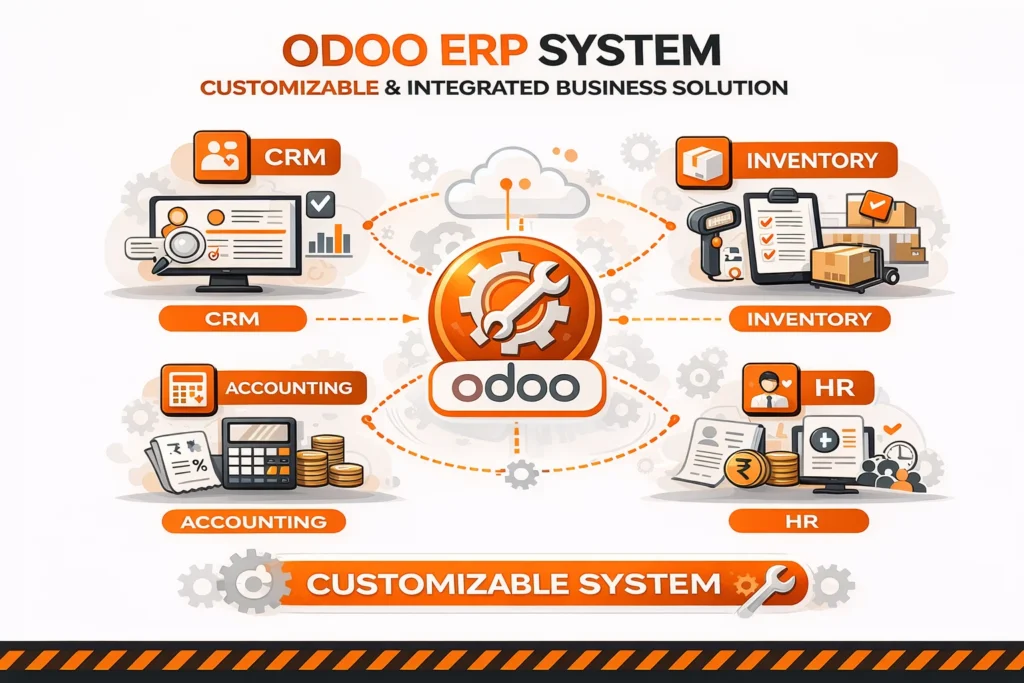
One of its best features is that it is an open-source ERP system. This means that businesses can change how it works, add new features, and make changes as they need to as they expand. Because of this, Odoo is perfect for businesses that have complicated operations or special needs.
What is Zoho?
Zoho is a cloud-based software ecosystem that provides a suite of business applications under one umbrella, including CRM, accounting (Zoho Books), HR, marketing, and collaboration tools. Its flagship offering, Zoho One, bundles multiple apps into a single subscription.
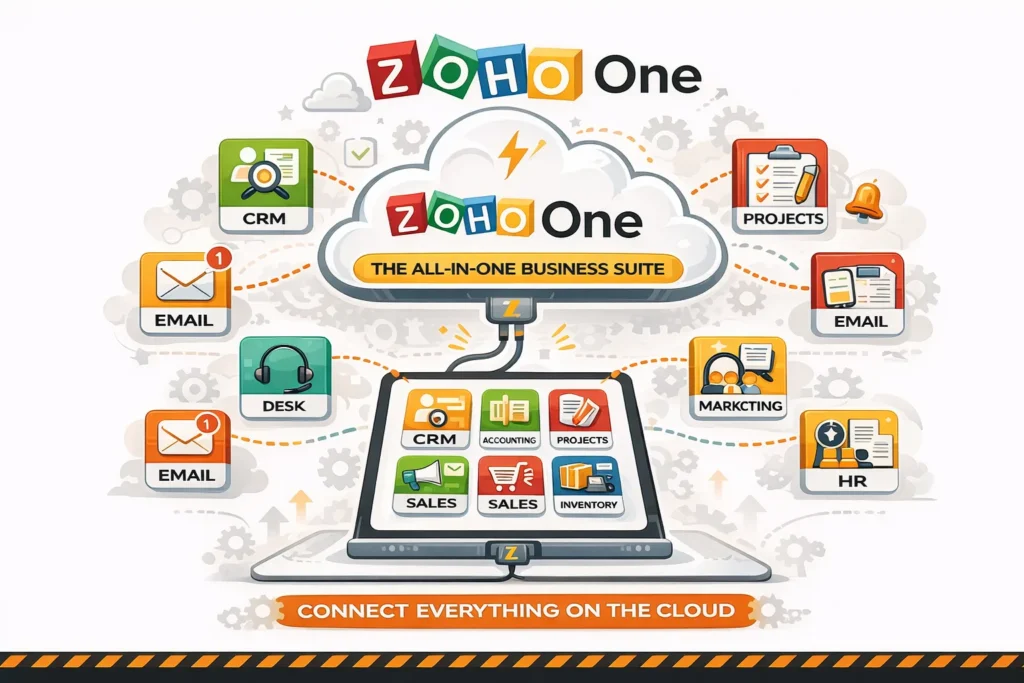
Zoho, on the other hand, is a SaaS-first platform, which means it is ready to use with little setup. Small and medium-sized businesses prefer it due to its user-friendly interface and quick setup.
Key Differences at a Glance
| Feature | Odoo | Zoho |
|---|---|---|
| Platform Type | ERP (modular) | SaaS business suite |
| Deployment | Cloud + On-premise | Cloud-only |
| Customization | Very high (open-source + modular) | Moderate (configurable) |
| Ease of Use | Flexible but requires setup/customization | Very user-friendly (low learning curve) |
| Pricing Model | Per user + apps | Bundled (Zoho One) |
| Target Users | SMBs to enterprises | SMBs and growing businesses |
| AI Approach | Embedded AI inside each module | Central AI layer (Zia across apps) |
| Decision Type | Operational + process-level decisions | Strategic + cross-functional insights |
| Automation Style | AI agents + natural language automation | Context-aware workflows |
| Data Intelligence | Strong execution intelligence (inventory, finance, HR) | Strong analytics, forecasting, anomaly detection |
| Best Fit | SMB → enterprise (custom ERP builds) | SMBs → mid-enterprise (plug-and-play) |
In summary, the decision between Odoo and Zoho ultimately hinges on your preference for flexibility or simplicity. Zoho emphasizes being easy to use and implementing faster, while Odoo gives you more control and customization options.
It’s important to understand this difference because it sets the stage for all other comparisons, whether they are about price, features, or long-term scalability.
Open Source ERP vs SaaS ERP: Key Difference
Odoo and Zoho are similar in some ways, but they are very different in how they are built and delivered. You must know the difference between an open-source ERP and a SaaS ERP before choosing.
What is an Open Source ERP (Odoo)?
Odoo is an open source ERP system. This means that anyone can access and change the source code to fit the business needs. This gives businesses the freedom to change how things work, add features, and connect with other systems.
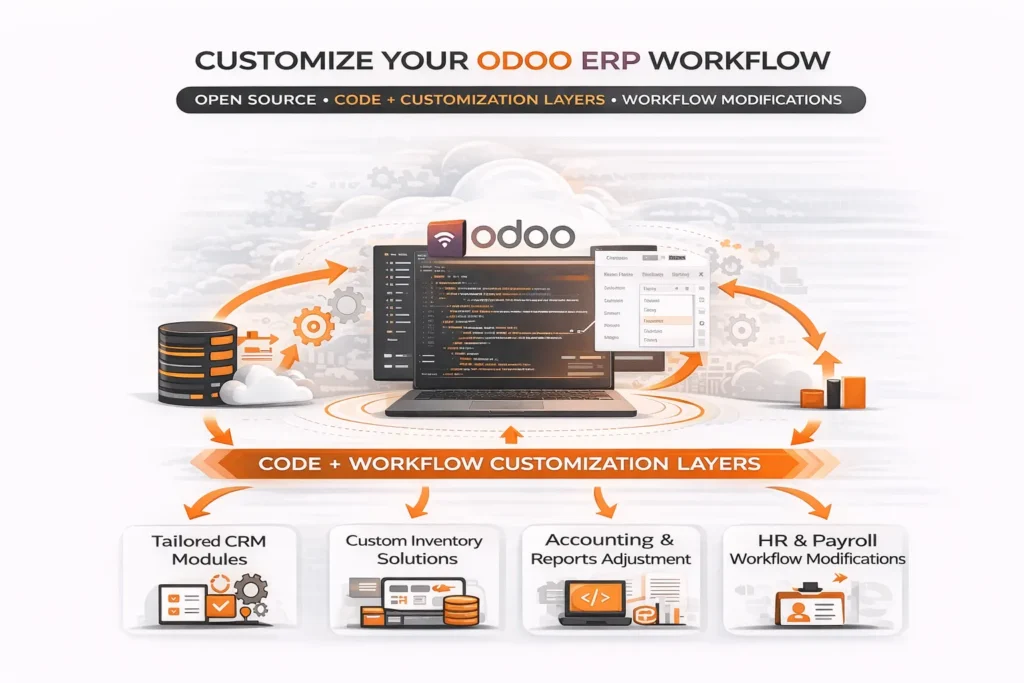
When businesses use Odoo, they have the flexibility to adapt the system to their unique processes. They can change the system to fit the way they work instead. It gives companies control over data and infrastructure by giving them deployment options like hosting in the cloud or on-premise.
This freedom does, however, come with a cost. Setting up, customizing, and maintaining open-source ERP systems often require technical know-how. To get the most out of the platform, businesses may need developers or implementation partners.
What is a SaaS ERP (Zoho)?
When it comes to Zoho, they use a model known as SaaS. This means the platform is in the cloud and is ready to use, and the provider takes care of everything.
With Zoho, businesses do not have to worry about setting up, hosting or maintaining their websites. The platform has already created applications that are simple to set up and quick to deploy. Zoho is easy to use, especially for companies that want a plug-and-play solution.
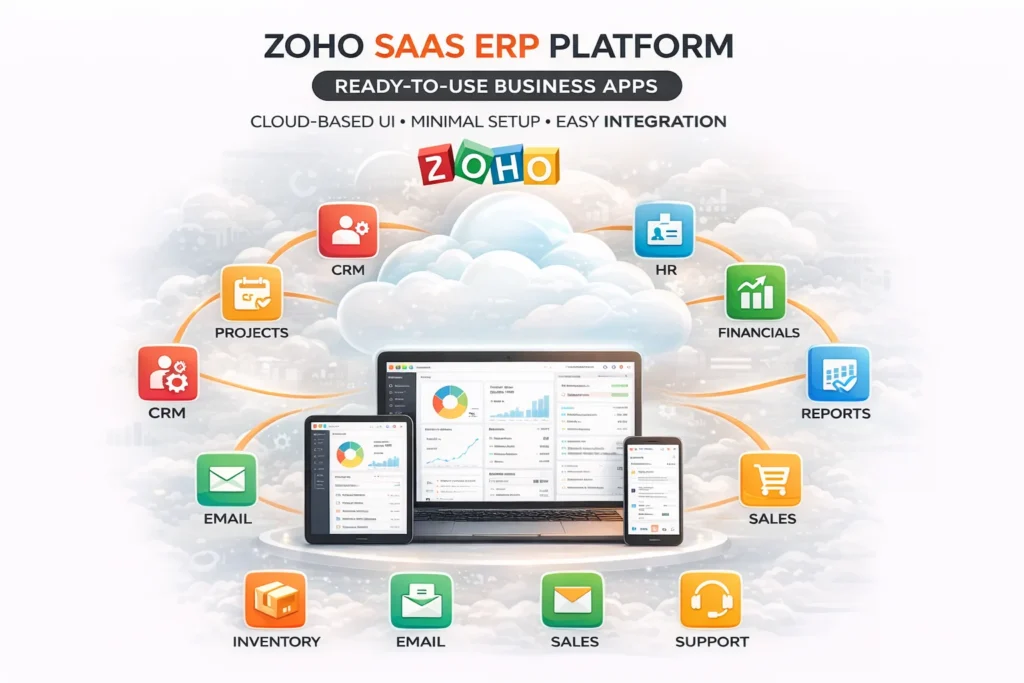
But in comparison to open-source systems, SaaS platforms usually do not let you change too much. Zoho lets you set up and automate things, but it might not be able to handle the deep changes that are needed for very specific business processes.
The choice between open-source ERP vs. SaaS ERP depends on what your business values more.
Odoo’s open source model is better if you want more freedom, control, and the ability to make significant changes to the system. It’s especially helpful for companies with complicated workflows or needs that are specific to their industry.
Zoho’s SaaS approach is better if you want things to be simple, quick, and require little technical knowledge. It makes it easy for businesses to start up quickly without having to deal with complicated technology.
Odoo vs Zoho One: Platform Comparison
When you compare Odoo and Zoho One, you’re not just looking at different features; you’re looking at two whole business ecosystems. Both platforms aim to provide an all-in-one solution, but they differ significantly in their setup and delivery methods.
Odoo Platform
Odoo is an ERP system that is made up of different modules. There is a separate app for each function. Businesses can pick and choose which modules to use based on their specific needs. These modules include CRM, accounting, inventory, manufacturing, HR, and many more.
Odoo is cool because you can use it in many ways. Since it’s an open-source ERP system, businesses can change modules and workflows and add new features. Odoo can adapt to a company’s needs as it expands and becomes more complex.
Integration is another important part. Odoo’s modules are all deeply linked to each other. A sales order, for instance, can automatically change inventory, send out invoices, and show up in financial reports. This makes it a beneficial choice for companies that need to make sure that all of their departments work together well.
Zoho One Platform
Zoho One is a collection of more than 40 cloud-based business apps. Some of the common apps are accounting (Zoho Books), CRM, marketing, HR, collaboration, and accounting.
Zoho One, on the other hand, is a SaaS ecosystem that is ready to use. Each app is pre-made and requires only setup, prioritizing ease of use and simplicity. The platform is ready for businesses to use right away and doesn’t need a lot of setup or customization.
Zoho’s strength lies in the unified interface and seamless integration across all apps. While every tool can function independently, they are designed to work together within the Zoho ecosystem.
The choice between Odoo vs. Zoho One depends on how your business operates.
Odoo works best for companies that need an ERP system that can be easily changed and fully integrates many processes, like those in manufacturing, logistics, or large-scale operations.
Industries that need simple, quick and low-cost solutions should go to Zoho One. It works well for different businesses that value ease of use, speed and a unified SaaS experience.
Odoo lets you build what you need if your business requires a system that can handle workflows. If you would rather have a solution that works immediately, Zoho One is easy to use.
Odoo vs Zoho Pricing Comparison
One of the most important things to think about when choosing between Odoo and Zoho is the price. Both platforms are cheaper than traditional ERP systems, but their pricing models differ, so it’s important to look beyond the starting price.
Odoo Pricing
Odoo has a flexible pricing structure that depends on the number of users and applications that you choose. It offers an Odoo free plan, where businesses can use one app at no cost.
For businesses that need multiple modules, Odoo uses a subscription-based model with per-user pricing. The more users you add and the more apps you have, the cost will increase.
Businesses that need customizations, integrations, or advanced workflows may incur extra costs for implementation and development.
While Odoo can start off as a cost-effective solution, the total investment may increase over time depending on how extensively the system is customized and scaled.
Zoho Pricing
Zoho pricing is easier to understand, especially when it comes to Zoho One. This gives you access to several apps with a single subscription.
Usually, Zoho One is priced per user. This means that businesses can use many apps, like CRM, Zoho Books, HR, and more, without having to pay extra for each one. Zoho’s prices are easier to plan for because they come in packages.
Zoho is a SaaS platform, which means that hosting, maintenance, and updates are all part of the subscription. This means that you don’t have to pay extra for these things.
Zoho CRM vs Odoo CRM: Which is Better?
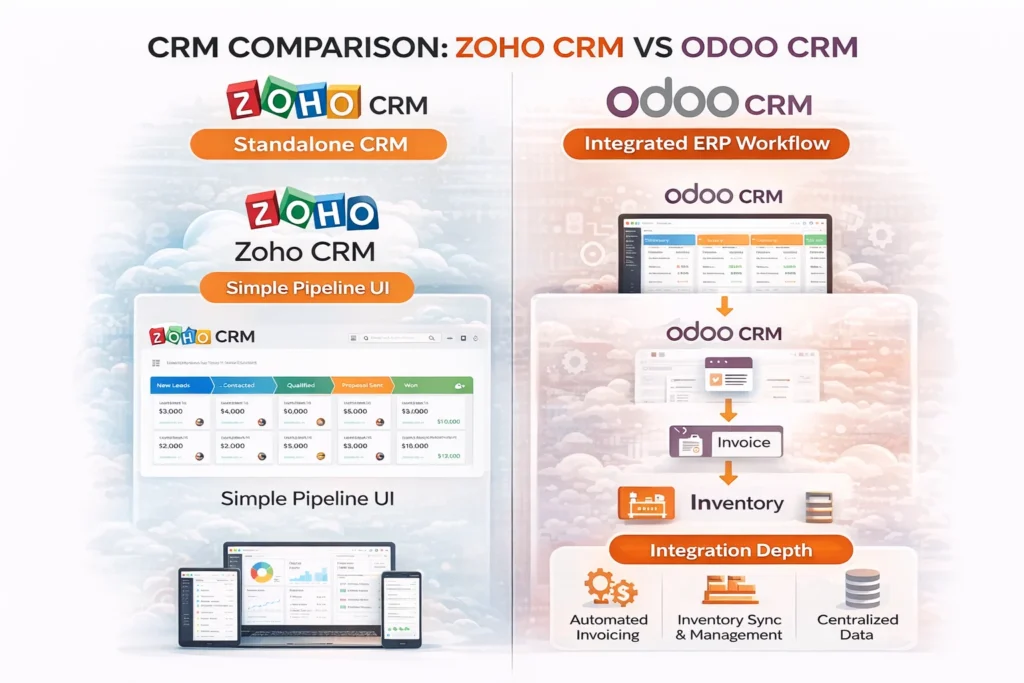
A lot of businesses start with CRM when they want to get an ERP or business management system. When you look at Zoho CRM vs. Odoo CRM side by side, the main difference is how they handle sales management: stand-alone efficiency vs. deep integration.
Zoho CRM
Zoho CRM is one of the best-known CRM tools, as it is simple to use and quick to set up. It is mostly made for sales teams that want to keep track of leads, automate follow ups and boost conversions without having to deal with complicated setups.
The platform has an easy-to-use interface and features like lead scoring, workflow automation, email integration, and detailed reporting. Businesses can start using the system right away, and teams can get used to it with little training.
When it comes to businesses that are focused on sales and customer relationship management but don’t need a fully integrated backend system, Zoho CRM is a great choice.
Odoo CRM
The Odoo CRM module also has powerful lead and pipeline management tools, such as the ability to keep track of opportunities, take automated actions, and see a history of all communications. But the best thing about it is that it works well with other Odoo ERP modules.
In Odoo CRM, for example, when a deal is closed, it can automatically create a sales order, update inventory, send an invoice, and show up in accounting, all in the same system. That makes it much more useful for companies that want a unified workflow instead of a separate CRM.
Additionally, Odoo CRM is very flexible, letting companies change pipelines, workflows, and processes to fit their own needs.
For those whose main goal is to manage leads and boost sales with little setup, Zoho CRM is a great option. It works well, is easy to use, and is perfect for teams that need a quick solution.
The Odoo CRM module is a much better choice if you want a CRM that works with your whole business, including sales, inventory, accounting, and operations. Businesses that want a fully integrated system rather than a stand-alone tool should use it.
Zoho Books vs Odoo Accounting
Every business needs to keep track of its finances, and both Zoho and Odoo have great tools for that. The main difference between Zoho Books and Odoo Accounting is how easy they are to use and how well they integrate with other programs.
Zoho Books
Zoho Books, a cloud-based accounting software, is designed for simplicity and quick setup. It has a clean and user-friendly-to-use interface and lets you do things like send invoices, keep track of expenses, reconcile your bank accounts, handle taxes, and make financial reports.
One wonderful thing about it is how simple it is to begin. Without a lot of technical know-how, businesses can set up their accounts, automate recurring invoices, and handle their day-to-day finances. It works well with other Zoho apps as well, which makes it a viable choice for the Zoho ecosystem.
Zoho Books works great for small businesses and service-based companies that need an easy-to-use accounting program that doesn’t require a lot of setup.
Odoo Accounting
The Odoo accounting module is a part of a larger ERP system, which means it works well with other business functions. It takes care of billing, expenses, bank reconciliation, and financial reporting. But what makes it really useful is how well it works with sales, inventory, and operations.
For instance, once a sale is confirmed, an invoice, inventory, and financial reports can all be made automatically, without any help from a person. This level of automation reduces errors and improves efficiency across departments.
You can also change a lot of things about Odoo accounting, which makes it good for companies with complicated financial or operational needs.
ERP Customization Comparison: Odoo vs Zoho
One of the most important features of an ERP system is its ability to be customized. This is especially true for businesses that have specific needs or workflows. When you compare Odoo and Zoho for ERP customization, the difference is big and can often make the difference between the two.
Customization in Odoo
Odoo’s status as an open source ERP allows for extensive modifications. Businesses can change modules that are already there, make entirely new ones, and change workflows to fit their exact operational needs.
Companies can create a system that aligns with their processes instead of altering them to fit the software. Businesses can, for instance, change the way sales pipelines work, automate complicated workflows, connect to outside tools, or even create features that are specific to their industry.
Odoo also offers tools, such as Odoo Studio (in the Enterprise version), that let users make changes even if they’re not very knowledgeable about coding. But for more complex customizations, you usually need technical know-how or a partner to help you set up the changes.
Customization in Zoho
Zoho, being a SaaS platform, primarily relies on configuration for customization rather than extensive modifications. Within the platform, users can change workflows, make their own fields, set up automation rules, and set up dashboards.
While many small and medium-sized businesses find it sufficient, certain aspects remain immutable. Odoo lets businesses change the core system and add new modules, but companies can’t do that with this system.
Zoho believes in keeping things simple and stable. This way, users can make changes in a safe space that doesn’t affect the system’s integrity.
Pros and Cons: Odoo vs Zoho
When looking at Odoo vs. Zoho, it’s clear that each has its pros and cons. Knowing these things helps you make a decision that is more useful in real life.
Odoo Pros & Cons
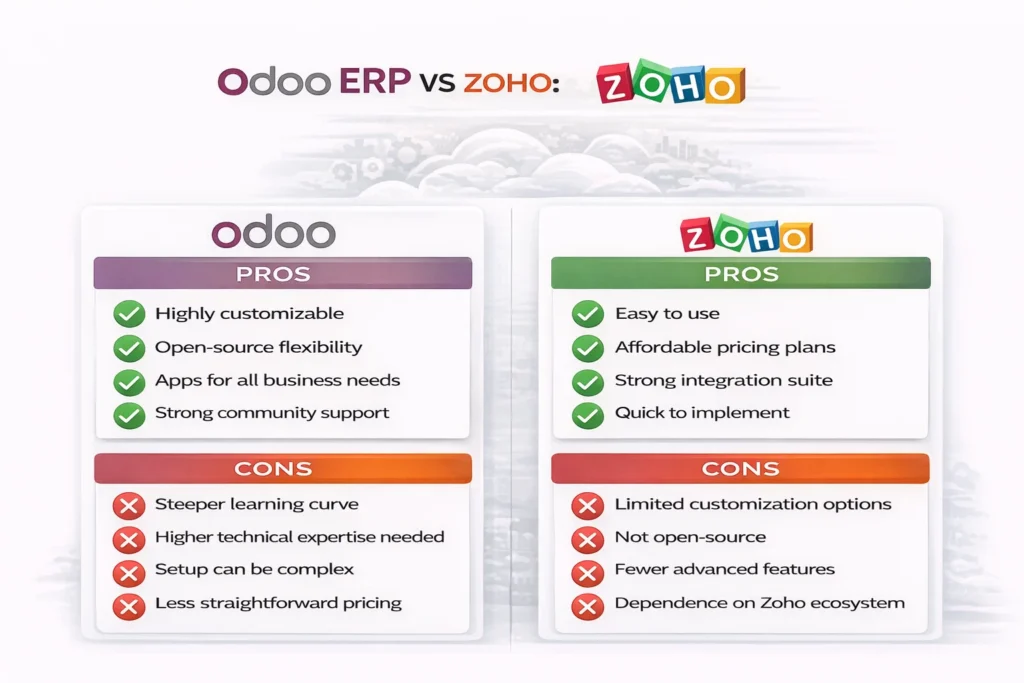
The best things about Odoo are how flexible and deep it is. It’s an open-source ERP system, so businesses can change how it works, add new modules, and make changes as they need to as they grow. This makes it perfect for businesses with many moving parts, like those in manufacturing or logistics or with many departments.
Another benefit is that it is built in modules. Scalability is ensured because businesses can start small and grow over time without having to switch systems.
But being flexible means you have to learn how to use it. Customizing and maintaining Odoo may require technical knowledge, and the setup process can take longer than with SaaS solutions. Costs can also go up over time if there is a lot of customization.
Zoho Pros & Cons
The best thing about Zoho is how easy it is to use. As a SaaS platform, it’s simple to set up, straightforward to use, and doesn’t require a lot of technical know-how. Tools such as Zoho One offer an ecosystem that includes different apps. This makes it easy for businesses to handle many tasks with just one subscription.
Zoho’s prices are also more stable, which helps small and medium-sized businesses plan their budgets.
On the other hand, Zoho doesn’t let you change as much as Odoo does. It can be automated and set up, but it may not suit businesses with complex workflows. Furthermore, the level of integration between processes might not be as beneficial as with a full ERP system.
Final Verdict
The Odoo vs. Zoho debate does not have a universal solution.
Businesses can customize Odoo, a powerful and adaptable ERP system, to meet their specific needs. Zoho, on the other hand, has a simple ecosystem that is straightforward to use and quick to set up and manage.
Which option is best for your business depends on whether it values speed and customization more.
Odoo is the best choice if you need a system that can grow with your business. Zoho is the better choice if you want a system that works right away.
FAQs
Is Odoo better than Zoho?
Not necessarily. Odoo is better for customization and complex workflows, while Zoho is better for simplicity and quick implementation.
Is Zoho cheaper than Odoo?
Zoho often has more predictable pricing through bundled plans like Zoho One. Odoo can be cheaper initially but may cost more with customization and scaling.
Can Odoo and Zoho be integrated?
Yes, Odoo-Zoho integration is possible through APIs and third-party connectors, although it may require development effort.
Which is better for small businesses?
Zoho is generally better for small businesses due to ease of use, while Odoo is suitable for those planning to scale or needing customization.
Which ERP is easier to use?
Zoho is easier to use and faster to adopt. Odoo may require more training but offers greater flexibility.
