

Picking the correct ERP system is hard enough, but picking the correct modules within that system can be even more difficult. A lot of companies think they need a full-fledged ERP with all the features turned on, but they end up spending money on tools they never use.
This scenario is true when working with Odoo ERP modules. You can use the platform’s various apps for tasks such as accounting, HR, inventory, and eCommerce. Odoo’s flexibility is great, but it can be difficult to know where to start.
The truth is simple. Your company doesn’t need all of the modules. It just needs the right mix of them.
That’s because each business works in its own way. Production and inventory will be the most important things for a manufacturing company, while CRM and project management may be more important for a service-based company. If you choose the wrong modules, you could end up with extra complexity, higher costs, and slower adoption.
We’ll go over the most important Odoo ERP modules and what they do in this guide. This will help you figure out which modules your business needs based on its size, industry, and goals. You’ll have a clear plan for building an ERP system that works for you by the end.
TL;DR
- Odoo is a modular ERP system, so you only need the modules you need.
- Choosing the wrong modules can lead to higher costs, complexity, and low adoption.
- Core modules like CRM, Accounting, Inventory, HR, and eCommerce serve different business functions.
- The right combination depends on business size, industry, and growth goals.
- Startups should start lean (CRM + Sales + Accounting), while growing SMBs can expand with Inventory, HR, and automation tools.
- Odoo’s pricing is flexible and scalable, but costs increase with users, modules, and customization.
- Common mistakes include overloading modules, ignoring integration, and not planning for scalability.
What Are Odoo ERP Modules?
The architecture of Odoo is modular ERP, which means it’s not a single, rigid system but a group of separate apps (called Odoo ERP modules) that work together as a single platform.
Odoo designs each module to handle a different business task. One example is that CRM, accounting, inventory, manufacturing, HR, and eCommerce all have their own separate modules.
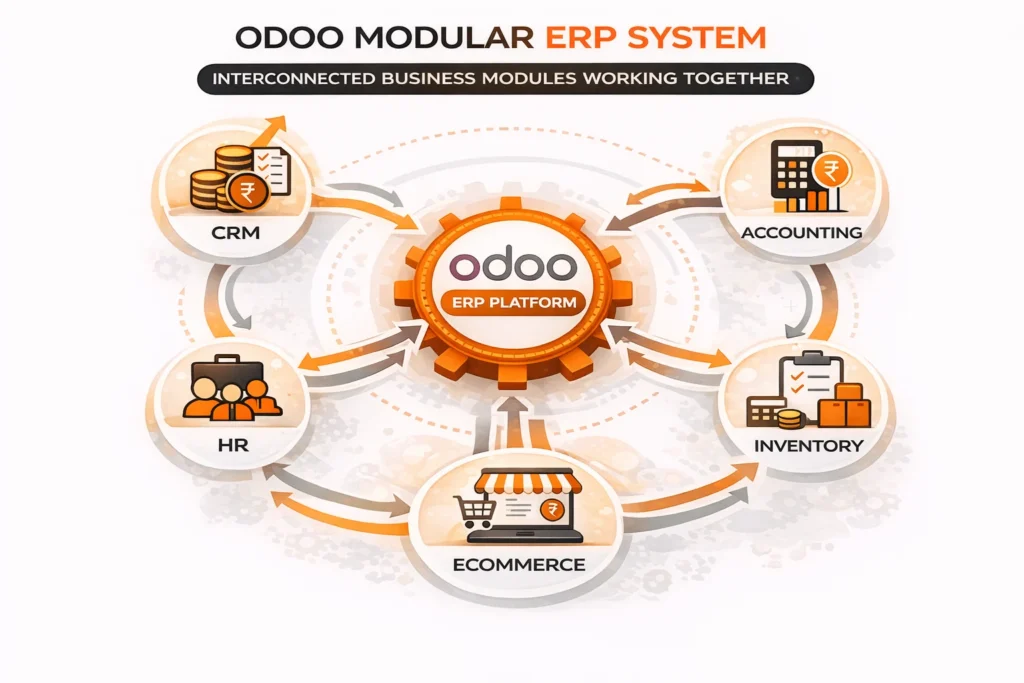
Odoo is different from other ERP systems because it is built in modules. With traditional ERPs, companies often have to set up big, complicated systems that have features they may never use. You can start with a few essential Odoo modules, like the Odoo CRM module and the Odoo accounting module, and add more as your business grows.
Complete Overview of Odoo ERP Modules
Here’s a full list of the most important modules and the types of people who should take them:
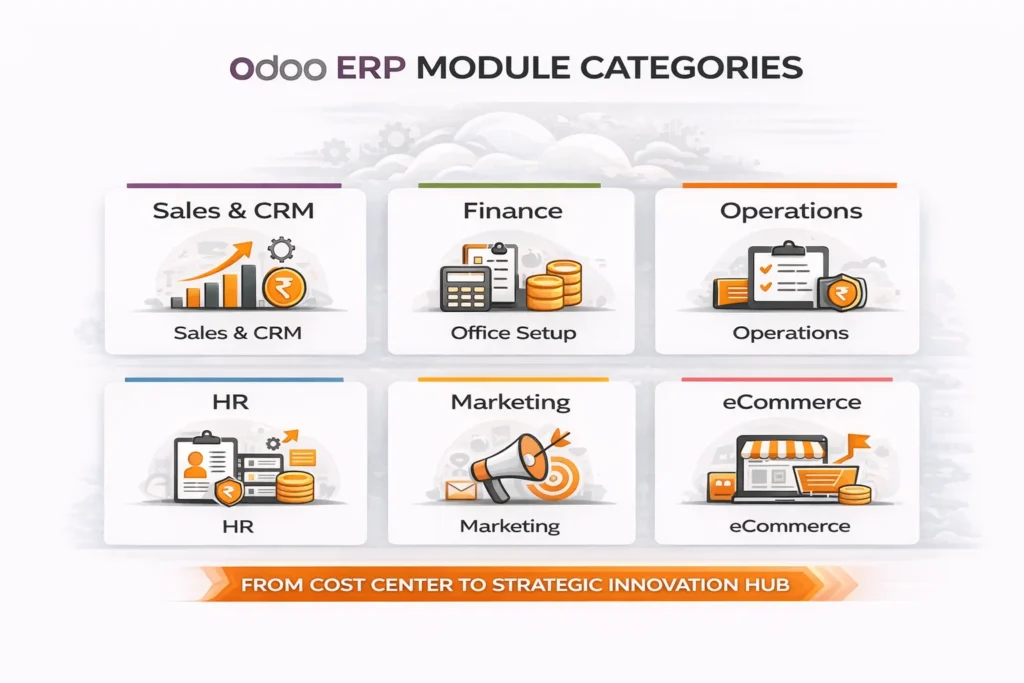
1. Odoo CRM Module
The primary aim of the Odoo CRM module is to help businesses manage their sales pipeline. Teams can generate leads, track interactions, and move prospects through the sales funnel.
Companies can focus on other important tasks and boost their conversion rates with tools like automated follow-ups, lead scoring, and pipeline visualization. The module works well with email and other tools, so all interactions with customers can be seen from one place.
Businesses that have a sales process, like B2B companies, agencies, and service providers, need this module because managing leads and relationships has a direct effect on revenue.
2. Odoo Accounting Module
The Odoo accounting module takes care of all financial tasks, such as billing, keeping track of expenses, balancing the bank accounts, and making financial reports. It shows you your cash flow, profits, and overall financial health in real time.
One of the best things about it is that it can automate tasks like creating invoices, reminding people to pay, and reconciling, which cuts down on mistakes and work that needs to be done by hand. It also helps businesses follow financial rules and meet reporting requirements.
This module is important for all businesses because managing money is an essential part of running any business.
3. Odoo Inventory Module
The inventory module in Odoo allows companies to track stock, run warehouses and see live updates on how products are moving. It can track batches, automatically update stock, and predict demand, among other things.
Businesses can easily avoid common issues such as running out of stock or having too much on hand by making their inventory visible. It works with purchase and sales modules as well. So, stock levels are always in line with customer needs.
Retail, wholesale, eCommerce, and logistics companies that deal with physical goods should pay extra attention to this module.
4. Odoo Manufacturing Module
Companies that create things can benefit from the Odoo Manufacturing Module. It helps take care of work orders, bills of materials, and production planning as well as quality control.
It allows companies to run efficiently by making better use of resources. This helps cut down on delays and ensures that the quality of the product stays the same. With the integration of inventory, it is easy to track both raw materials and finished goods.
This module works great for factories, production units, and any other business that makes things or puts them together.
5. Odoo HR Module
Putting all HR tasks in one place helps the Odoo HR module make employee management easier. It has several tools, such as onboarding, hiring, keeping track of attendance, paying payroll, and managing leaves.
As a business grows, managing employees by hand stops being useful. This module helps automate common HR tasks and keeps employee information in order and simple to find.
It’s especially helpful for businesses with growing teams or lots of different departments.
6. Odoo eCommerce Module
With the Odoo e-commerce module, businesses can set up and run their own online stores right from their ERP system. It has tools for listing products, managing orders, integrating payments, and making the customer experience better.
It is possible for businesses to run an entire e-commerce business on one platform, since it works with sales, inventory, and accounting. They don’t need to use any other tools.
This module is important for direct-to-consumer brands, online stores, and companies that want to grow into digital sales channels.
Each of these modules helps a business with a different issue, but not every company needs all of them. Find the modules that have the most direct effect on your operations and start there.
How to Choose the Right Odoo Modules for Your Business?
To choose the right Odoo ERP modules, you don’t have to use all of them. Instead, you need to pick the modules that fit your business structure, the needs of your industry, and your growth goals.
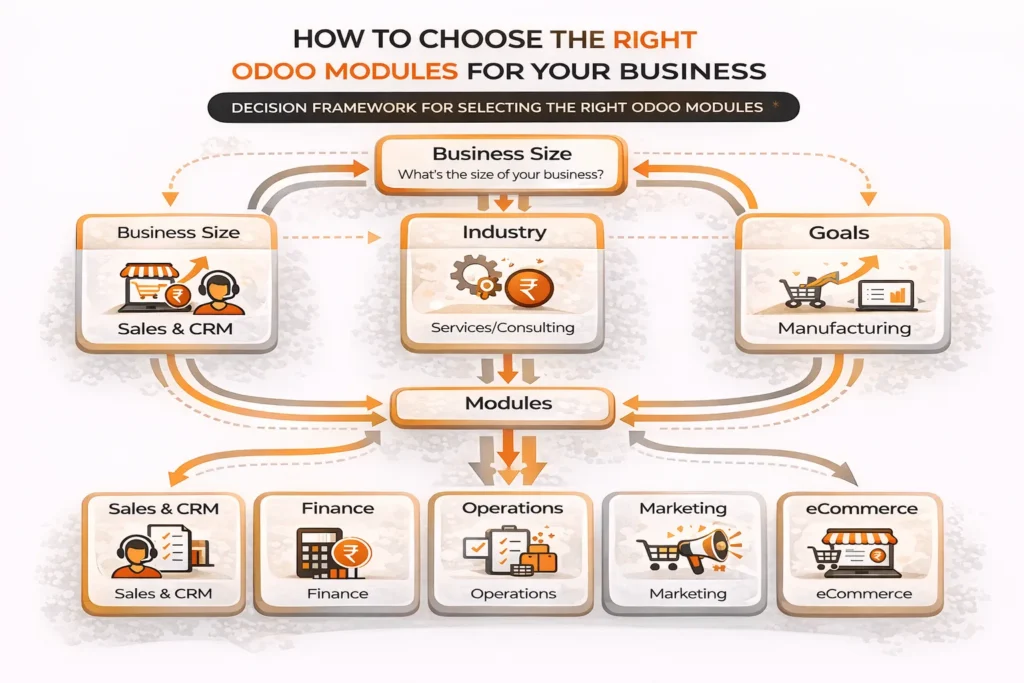
Taking a strategic approach will help your ERP system stay effective, low-cost, and simple to expand over time.
1. Based on Business Size
Which modules you should prioritize will depend a lot on the size of your business.
For new and small businesses, the focus should be on the most important tasks that have a direct effect on operations and revenue. A lot of the time, just the Odoo CRM, Sales, and Accounting modules are enough to get started. It’s more important to keep costs low and keep things simple at this point.
Small businesses and medium-sized businesses start having more and more operational needs. Extra modules like Odoo’s inventory module, HR tools, and basic marketing tools become useful at this stage. As business grows, the modules help streamline tasks and make them effective.
When a business grows or gets bigger, it needs more advanced modules, like the Odoo manufacturing module, advanced reporting tools, and automation tools. At this point, the goal is to improve visibility, make operations run more smoothly, and handle more transactions.
2. Based on Industry
Different industries require different combinations of modules, and choosing the right set can significantly impact efficiency.
The Odoo e-commerce module, Inventory, Sales, and Accounting are often used together to help retail and online businesses. All these modules work together to make it easy to handle customer transactions. This helps track stock and manage orders.
A more operations-focused setup is needed for manufacturing businesses. This includes the Odoo manufacturing module, Inventory, Purchase, and Accounting. This combination aids in production planning, raw material tracking, and cost monitoring.
The Odoo CRM Module, Accounting and Project Management are the most essential parts of Odoo for service-based businesses, such as consultancies and agencies.
All of these modules help track work progress, manage clients and send bills. Billing, CRM, and subscription management tools may be essential for SaaS or subscription-based businesses that want to track recurring revenue and customer lifecycles.
3. Based on Business Goals
Your business goals should guide your choice of modules, not their size or industry.
Modules like CRM, Marketing Automation, and eCommerce can help you get more customers and turn them into paying customers if your main goal is to grow.
If you want to cut costs and work more efficiently, modules like Inventory, Accounting, and Automation tools can help you streamline operations and do less work by hand.
Businesses that want to grow or enter new markets must choose modules that allow for flexibility, like inventory that can be stored in more than one place, advanced reporting, and integrations.
Businesses often make the mistake of putting in place too many modules at once. This can make things more complicated than they need to be, raise costs, and slow down adoption.
The best feature of Odoo is its modular design. Companies can start with just a few key modules and add more as their needs change. This will lead to better adoption, lower risk, and an easier-to-handle implementation process.
Recommended Odoo Module Combinations (Use-Case Based)
Depending on common business use cases, let us look at some useful module combinations.
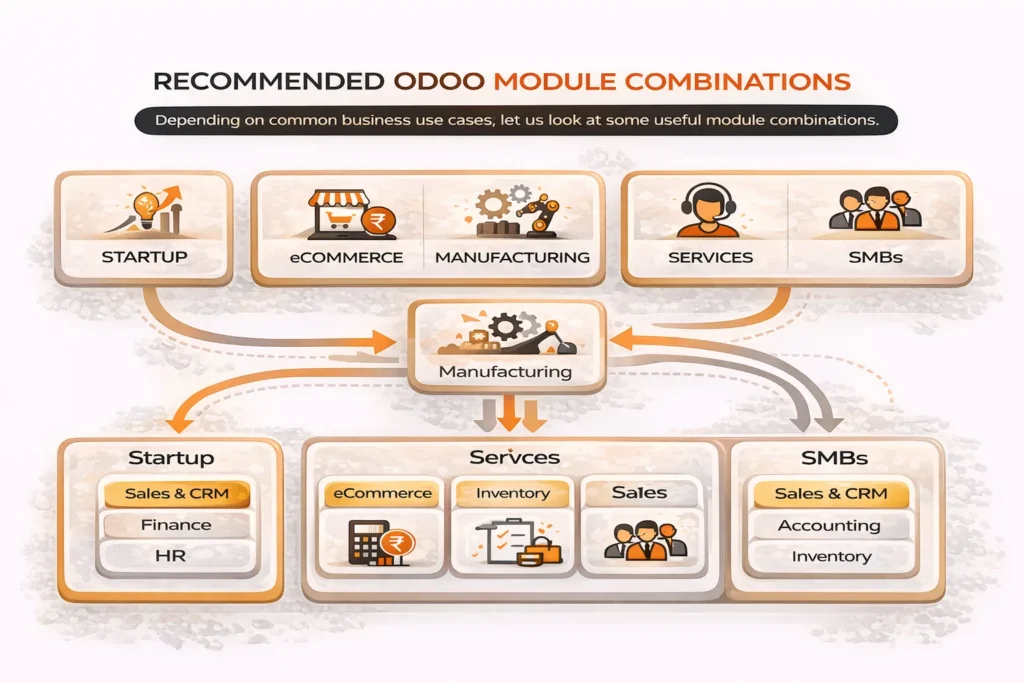
For Startups
Things need to be simple, quick, and cheap for startups. The main goal right now should be to keep track of leads, money, and closed deals without making things too hard.
The Odoo accounting module, the Odoo CRM module, and the Odoo Sales module are often set up at the same time. It has everything a business needs to handle the sales cycle, from getting leads to billing, all in one system.
The way things are done now can stay the same as the company grows by adding more modules.
For eCommerce Businesses
eCommerce companies need a system that connects their online sales to their back-end operations.
The Odoo e-commerce module, the Odoo inventory module, and sales and Accounting are all important parts of a strong setup. This setup makes sure that all of the information about products, stock, orders, and finances is always up to date.
Businesses can run their whole online store this way, from taking orders to delivering them, without having to use a bunch of different third-party tools.
For Manufacturing Businesses
Manufacturing companies have to handle many complicated tasks related to production, raw materials, and supply chains. Because of this, their ERP setup needs to be able to handle it.
The Odoo manufacturing module, the inventory module, and the accounting module all work together. This enables companies to plan production, track materials, manage purchases, and monitor costs. This approach makes things run easily and waste less, and it gives you control over the production process.
For Service-Based Companies
Service-based businesses care a lot more about customer relationships and completion of projects than they do about selling goods.
The Odoo CRM module, Project Management, Timesheets, and Accounting are usually set up this way. This set of tools helps you keep track of leads, ongoing work, billable hours, and automated billing.
It makes sure that all interactions with clients and service delivery go smoothly within a single system.
For Growing SMBs
Businesses have more complicated needs as they grow. They require a system that integrates several departments and can handle more work.
Small businesses that are growing may need a complete set of tools, such as CRM, Sales, Accounting, Inventory, HR, and basic Marketing Automation. This mix creates a balanced system that helps businesses grow and enhance their operational efficiency.
Each of these combinations is made to work in the real world of business, not just in theory. The goal is to make sure that all important functions are linked without adding extra modules that aren’t needed and make things more complicated and expensive.
Odoo Module Pricing Explained
Before you choose the right setup for your business, you need to know how much each Odoo module costs. Traditional ERP systems charge large licensing fees up front. Odoo, on the other hand, works on a flexible, subscription-based model that makes it easier for businesses to keep costs down.
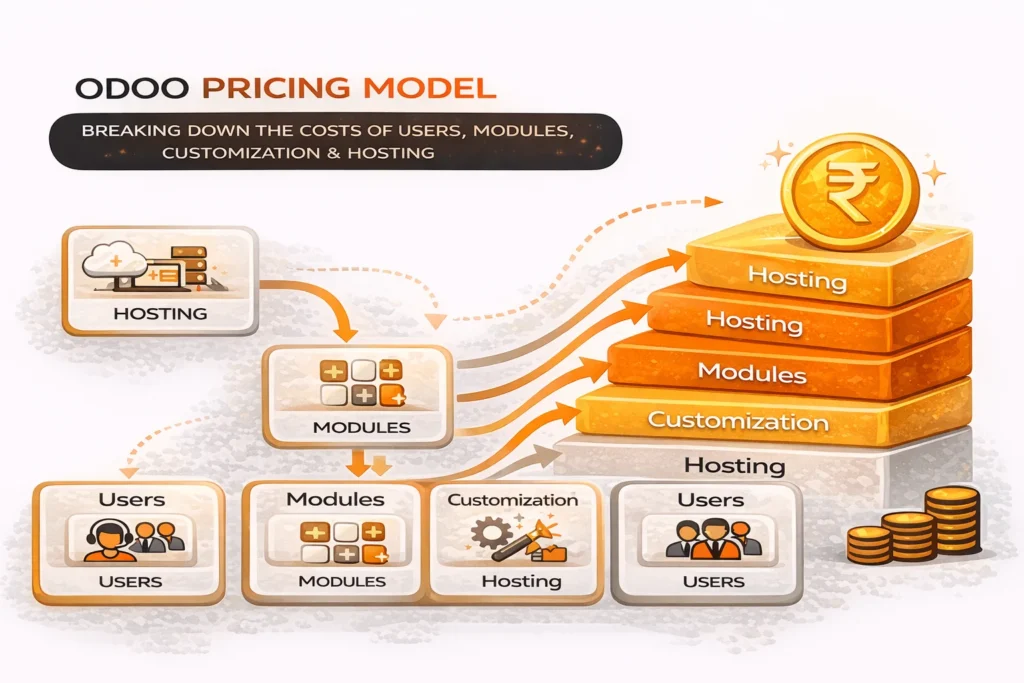
But prices aren’t just based on modules. It depends on several things that companies need to carefully think about.
How Does Odoo Pricing Work?
Usually, Odoo charges by the user, per month. In simple terms, the total cost is contingent on the number of users and the required programs.
The Odoo free plan gives free access to a module but businesses need more than one module to run operations easily. Paid plans are required when you need more features or want to use more than one app.
What Affects Odoo Module Pricing?
There are several things that affect the cost of implementing Odoo:
A huge part of this process is the number of modules you chose. The pricing plans help provide you with access to several apps. But, if you select advanced or enterprise-level modules, the costs will increase.
Another important thing is the number of users. The cost of your subscription goes up as your team grows. As a result of this, it is essential to plan how users will get in.
Customization needs and development processes easily affect pricing. If a business requires custom workflows, modules or integrations, it has to pay more for implementation and development.
Hosting options, such as cloud-based, Odoo.sh, or on-premise, can also change the total cost. In general, cloud options are easier to use, while on-premise setups might need more infrastructure and upkeep.
How to Optimize Costs?
One of the best things about Odoo is that companies don’t have to spend a lot of money on it right away. Instead, they can begin with a simple set-up and add to it over time.
It is best to start with basic modules such as CRM and accounting. As the business grows, you can add more modules, such as HR, manufacturing, or inventory. This helps keep you from having to pay more than you need.
Is Odoo Cost-Effective?
Odoo is a lot cheaper in comparison to SAP and ORACLE. It eliminates hefty upfront licensing fees and provides a flexible pricing model that adapts to the business’s growth.
This makes Odoo a cost-effective ERP solution that delivers strong value without putting too much strain on budgets for small and medium-sized businesses.
Common Mistakes Businesses Make While Choosing Odoo Modules
The fact that Odoo ERP modules are very flexible is a big plus, but it can also make it hard to make decisions if you don’t plan ahead. A lot of companies make their ERP setup too hard to understand or buy modules they don’t need.
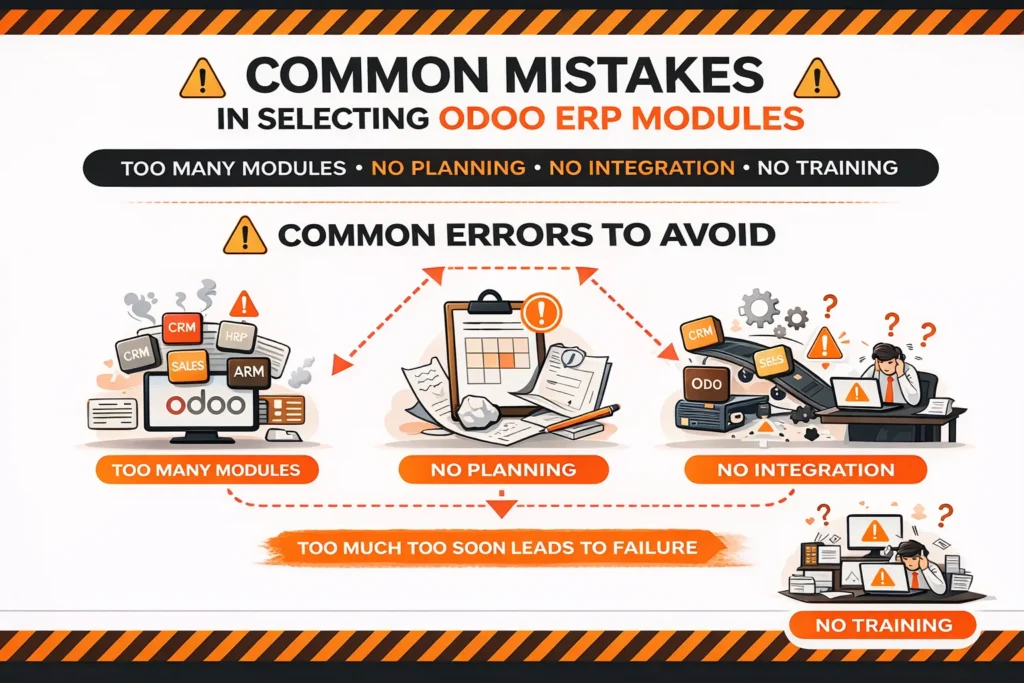
If you know about these common mistakes, you can make your system work better and cost less.
1. Choosing Too Many Modules at Once
One mistake that people often make is trying to add too many modules at once in the beginning. Businesses often think that turning on more features will make things easier, but this usually makes things more complicated than they need to be.
A lot of modules can make it take longer to set up, cost more, and be harder for teams to adapt. Instead, it’s better to start with the most important modules, like the Odoo CRM and accounting modules, and add more as the business grows.
2. Not Aligning Modules with Business Needs
Another big problem is picking modules based on their availability instead of how useful they are. There’s no need for your business to have a module just because it exists.
For instance, a service-based business might not need the Odoo inventory module or the Odoo manufacturing module, but a manufacturing-based business can’t work well without them. If you pick modules without thinking about how your business works, you might waste time and money.
3. Ignoring Integration Between Modules
Odoo works best when all of its modules are linked correctly. Some companies choose modules on their own, without thinking about how they will work with each other.
This can cause workflows to become disconnected, lead to double data entry, and make things less efficient. A well-thought-out module combination makes sure that data flows smoothly between departments and gets the most out of the ERP system.
4. Underestimating User Adoption and Training
Employees who aren’t used to using ERP can make even the best setup fail. A lot of the time, businesses focus on features and forget how important training and onboarding are.
Overwhelming teams with too many modules at once can cause resistance and low adoption. By introducing the system gradually and giving employees the right training, you can help them use it correctly.
5. Not Planning for Future Scalability
Some businesses pick modules based only on what they need now, not what they might need in the future. It is important to start small, but it is also important to choose a system that can grow with you.
Even though Odoo’s modular design makes it easy to add on, businesses should still plan ahead, especially if they want to add features like the Odoo e-commerce module or more advanced automation tools in the future.
6. Overlooking Cost Implications
Another common mistake is not fully understanding how much Odoo modules cost. Odoo is affordable, but adding modules, users, or customizations that aren’t needed can make costs go up over time.
A clear pricing strategy that focuses on essential modules and slow growth helps keep costs low and returns high.
Building the biggest system isn’t the point of picking the right modules; the point is to build the right system. Better adoption, lower costs, and a more efficient ERP implementation are all guaranteed by a focused, well-planned approach.
Final Thoughts
The goal is not to build the system with the most features when choosing the right Odoo ERP modules. The goal is to make a system that works for your business.
Odoo’s best feature is that it is built with modules. The Odoo CRM module and the Odoo accounting module are two examples of essential modules that businesses can start with. As their needs change; they can add tools like the Odoo inventory module, our HR module, and our e-commerce module.
This “start small, scale smart” method not only keeps costs low (especially when you look at how much Odoo modules cost), but it also makes sure that implementation goes more smoothly and that everyone on the team uses it more.
It’s important to keep your eye on what makes your business go today while also leaving room for growth in the future. You can make an ERP system that works well and can grow as your business does by choosing the right modules for your size, industry, and goals.
Companies that do well with ERP in 2026 aren’t the ones that use the most tools; they’re the ones that use the right tools in the right way.
FAQs
How many Odoo ERP modules do I actually need?
There’s no set number. Most companies start with two to four core modules, like CRM, Sales, and Accounting, and then add more as their business grows. Relevance, not quantity, should be the main point.
Can I add modules later in Odoo?
Yes, the fact that Odoo is built in modules is one of its best features. You can start with a simple setup and add more modules whenever you want without changing the way your system works.
Which Odoo module should I start with?
What kind of business do you have? Most businesses start with the Odoo CRM module to keep track of leads and the Odoo accounting module to keep track of their finances, as these are essential to running the business.
Is Odoo CRM enough without other modules?
You can use Odoo’s CRM module independently to monitor leads and sales pipelines. But to fully streamline operations, it is often put together with other modules, such as Sales and Accounting.
How much does each Odoo module cost?
Odoo does not price modules individually in isolation. Instead, Odoo module pricing depends on the number of users, apps, and features required under a subscription plan. Businesses can also start with the free plan for a single module.
